There are some sounds you recognize right away. The continuous beep from the RAID controller is one of them. Not the friendly little startup beep—no, the insistent, repetitive beep, the one that says “Alert: This is not a drill.”
My main hypervisor doesn’t just host VMs. It also serves as a central data server and listens for DLNA requests on a dedicated network to feed the many multimedia devices in the house—all via Serviio, an excellent Java media server that can communicate with any DLNA-certified device. When this machine acts up, the whole house feels it.
The Discovery
The controller—a ServeRAID M5015 managed via StorageManager/MSM (Avago)—started beeping. My first reaction was to open the StorageManager console and check the disk status.
The evidence was clear: a drive was missing from the RAID 5 data array.
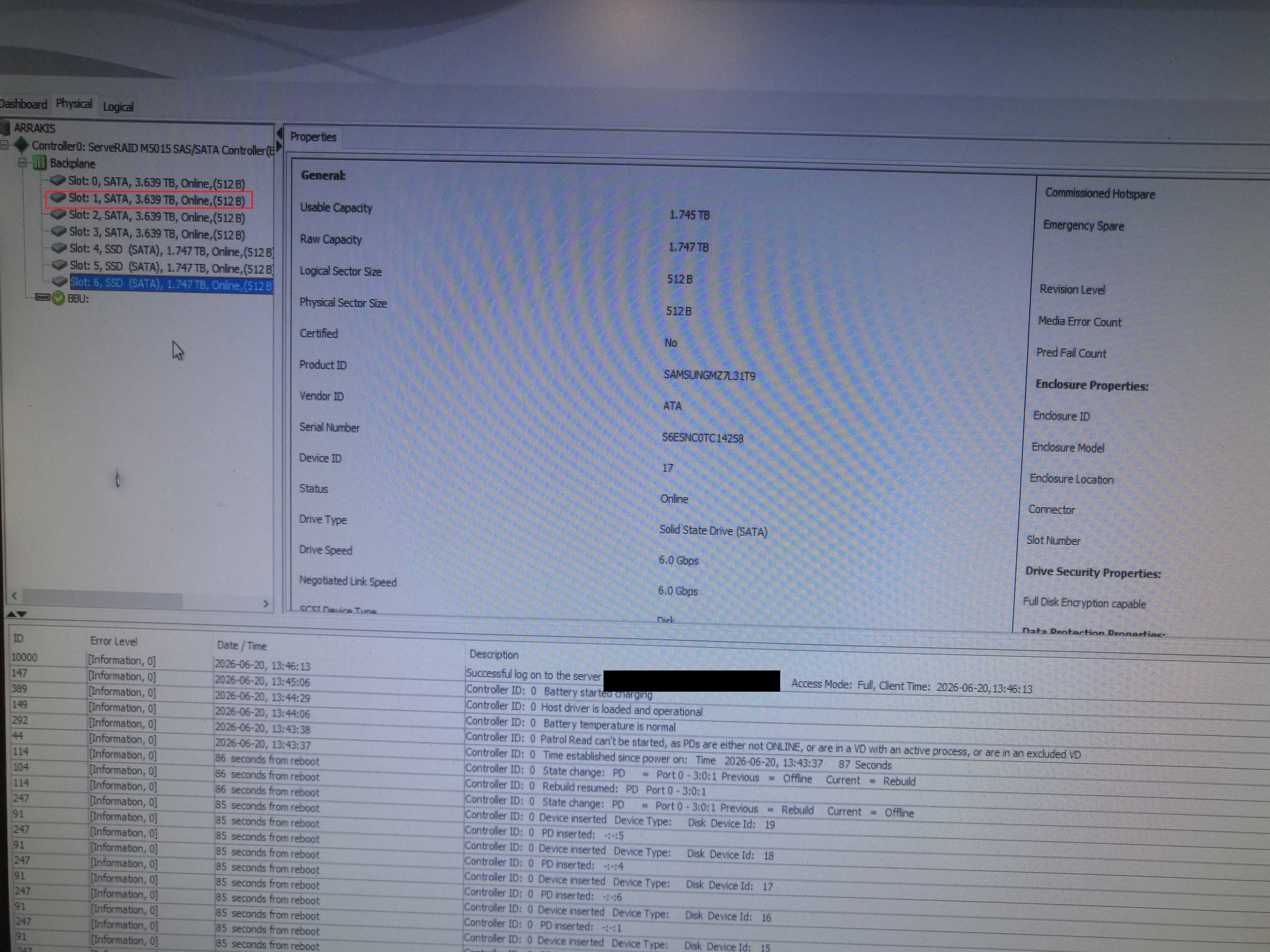
StorageManager: Slot 1 went offline; the controller initiated an automatic rebuild. The screenshot was taken after the test fan was added.
In the logs at the bottom of the screen, the sequence is crystal clear: upon reboot, the controller detected that the PD on port 0-3:0:1 had changed from Rebuild to Offline. It then immediately reinserted the other drives and attempted a rebuild. Standard procedure.
What’s less standard is the internal temperature of the case. The replacement of the motherboard and 18-core/36-thread CPU, combined with the weather conditions
The culprit: airflow
The RAID controller—a ServeRAID M5015—does not come with a stock fan. But if you’ve read the February article on replacing the M5015, you know that this controller was already equipped with a custom fan. That fan seemed to be doing the job, but with the intense heat of the past few days, it turned out to be insufficient.
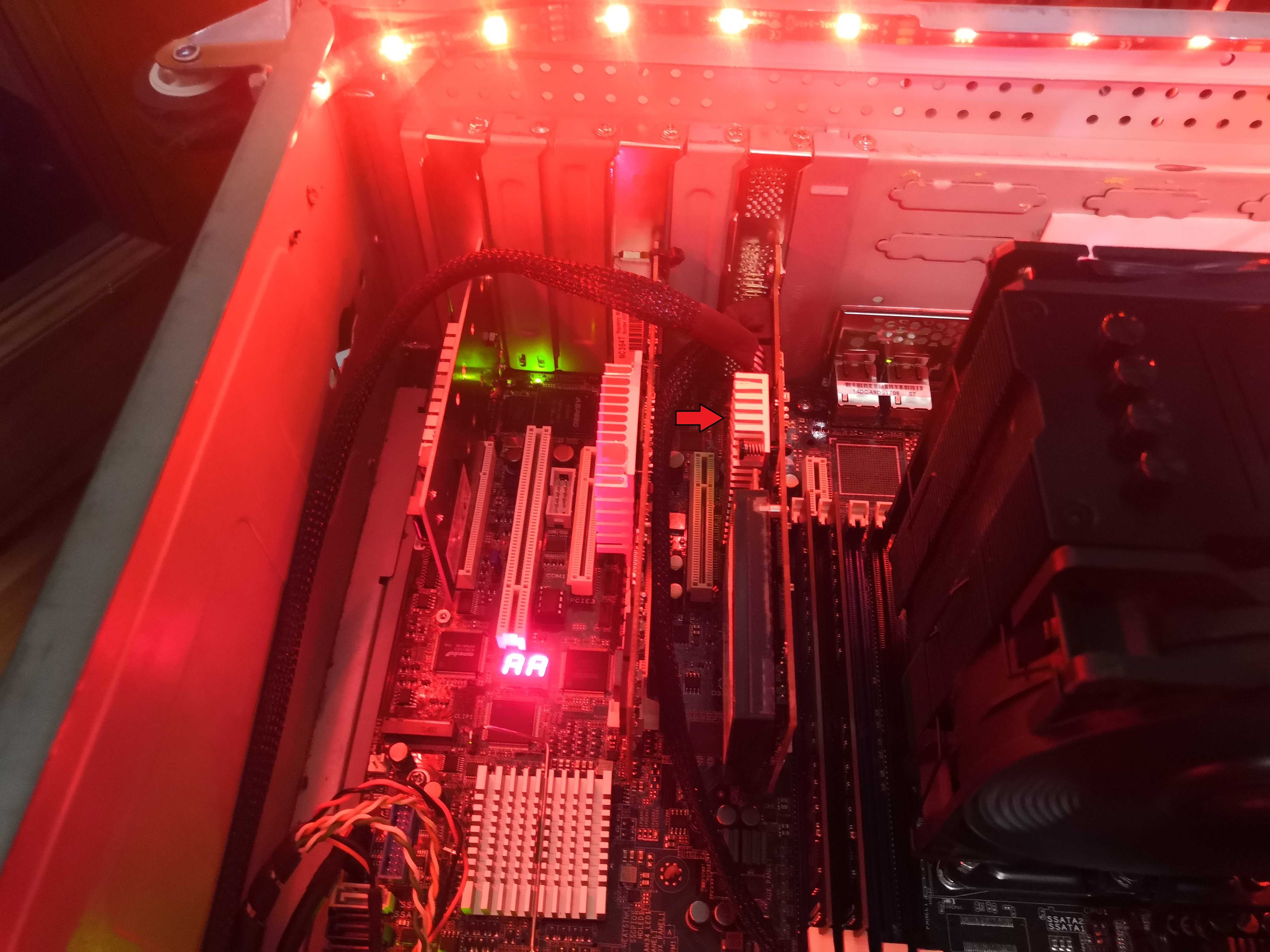
The red arrow points to the ServeRAID M5015 heatsink. The more observant among you will notice that I’ve already removed the 50mm fan—the red arrow points to the controller’s heatsink, which is so hot you can’t even rest your finger on it.
Makeshift Solution, Field Version
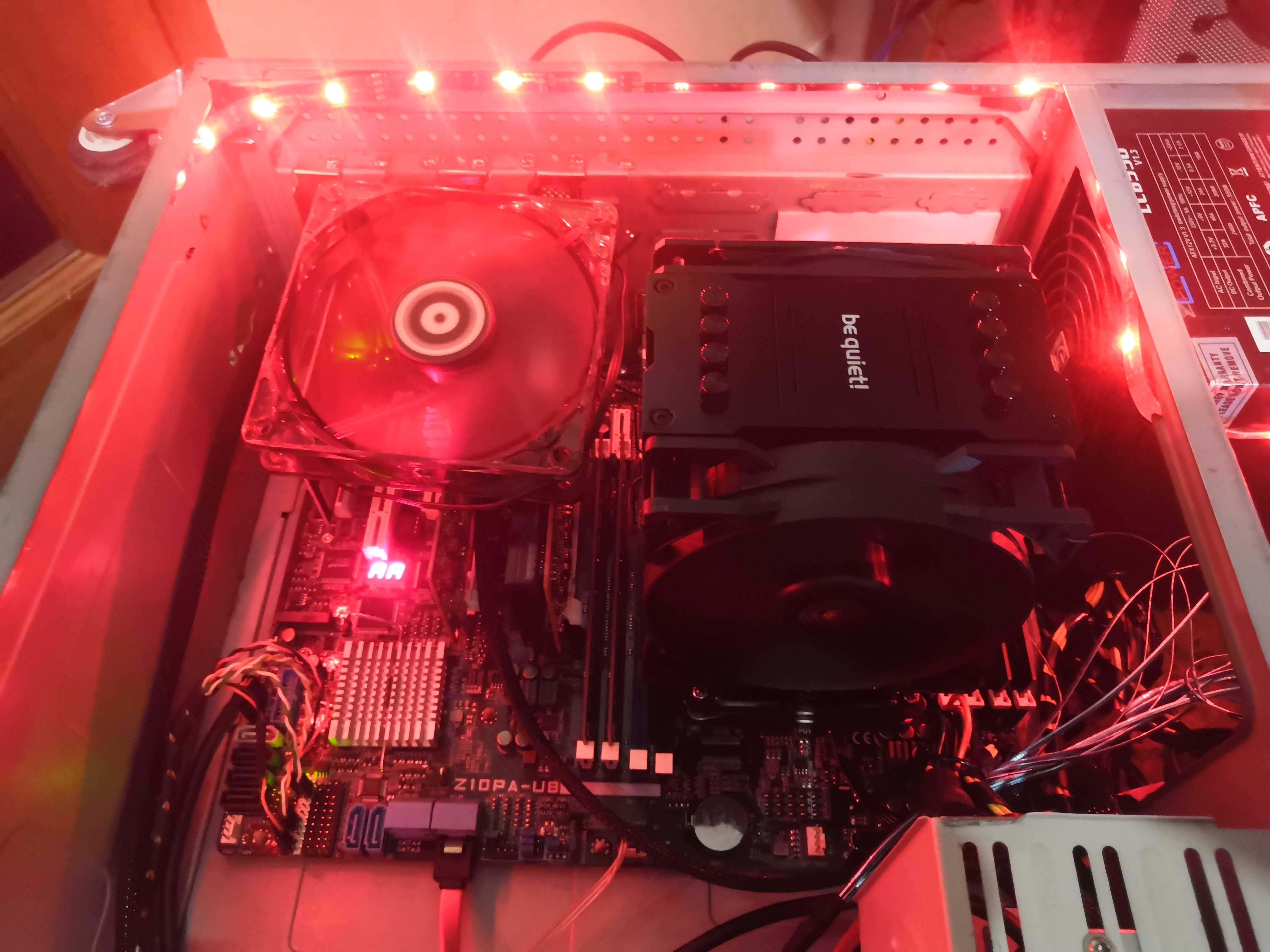
Overview of the interior. The Z10PA-U8 card, with a be quiet! Dark Rock heatsink. Without proper ventilation at the back, everything’s quietly simmering.
No time to wait: a 120mm fan loosely placed on top of the open case, plugged in directly. Ugly. Functional. I own it.
Meanwhile, the logs confirm that the rebuild is well underway.
The Long-Term Solution: 3D Printing
A fan just sitting loosely on a production machine—that can’t last. The real solution: find a printable PCIe bracket that allows a standard 120mm fan to be mounted directly into an empty expansion slot.
I found exactly what I was looking for on Printables: the PCI bracket for 120mm FAN model by Gustavo. What’s funny is the reason Gustavo designed this part: to cool a dual-port 10 GbE network card, NVMe SSDs, and a SAS card. In other words, almost exactly my setup—a ServeRAID M5015 controller, a 4x1G network card, and an NVMe SSD in the same machine. Apparently, the airflow issue with this type of setup is universal. The .3mf file is clean, the dimensions are spot on, and it’s free. Thanks, Gustavo.
AnycubicSlicer, a few fill settings, and off to the printer it goes.
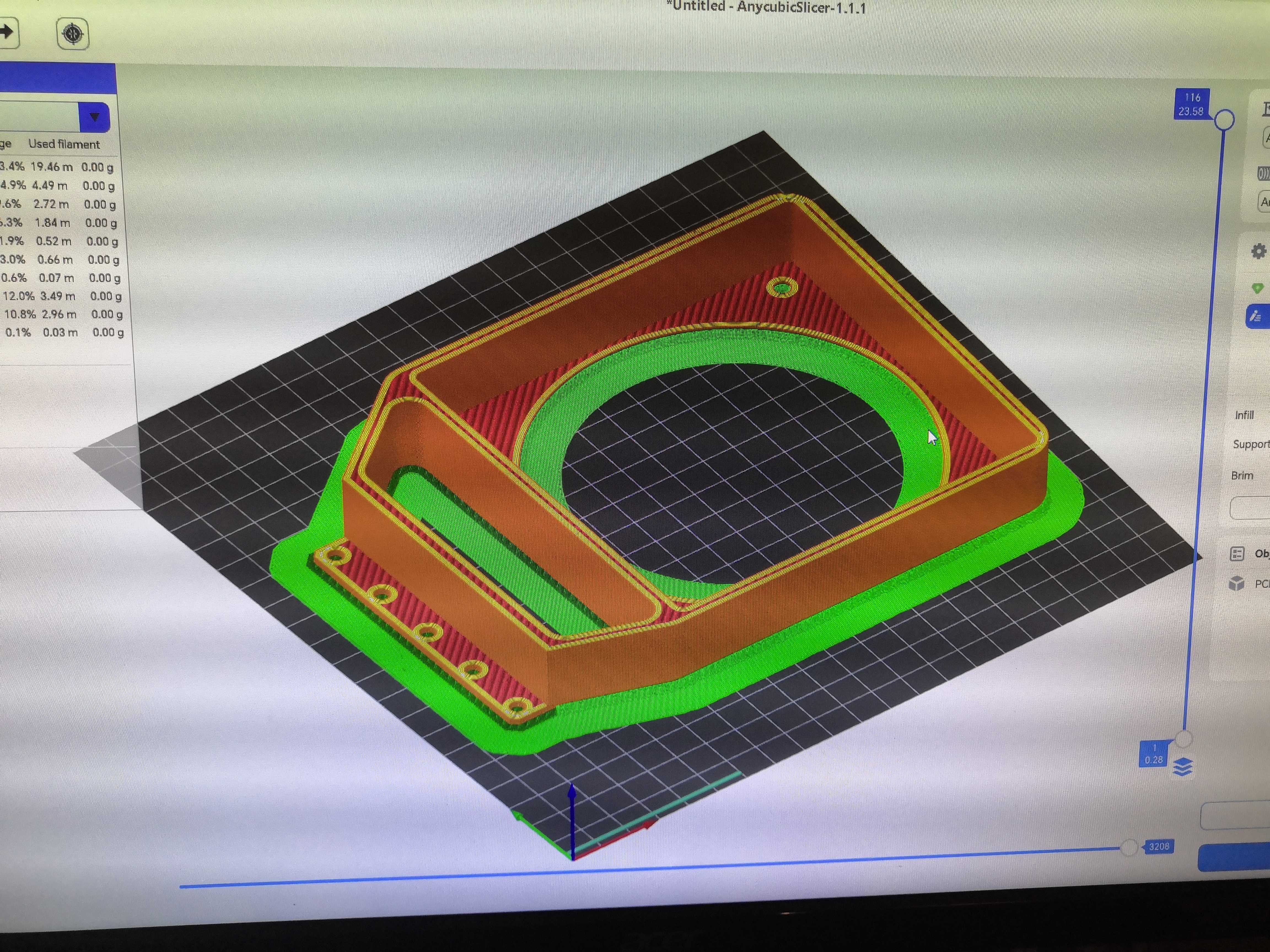
The model in AnycubicSlicer. Green brim for adhesion, red infill, yellow walls. The circular ring holds the 120mm fan, and the lower tab engages with the PCIe slot.
The model includes the retaining ring for the 120mm fan, the tab that fits into the PCIe slot, and a deflector that directs airflow toward the drive bay.
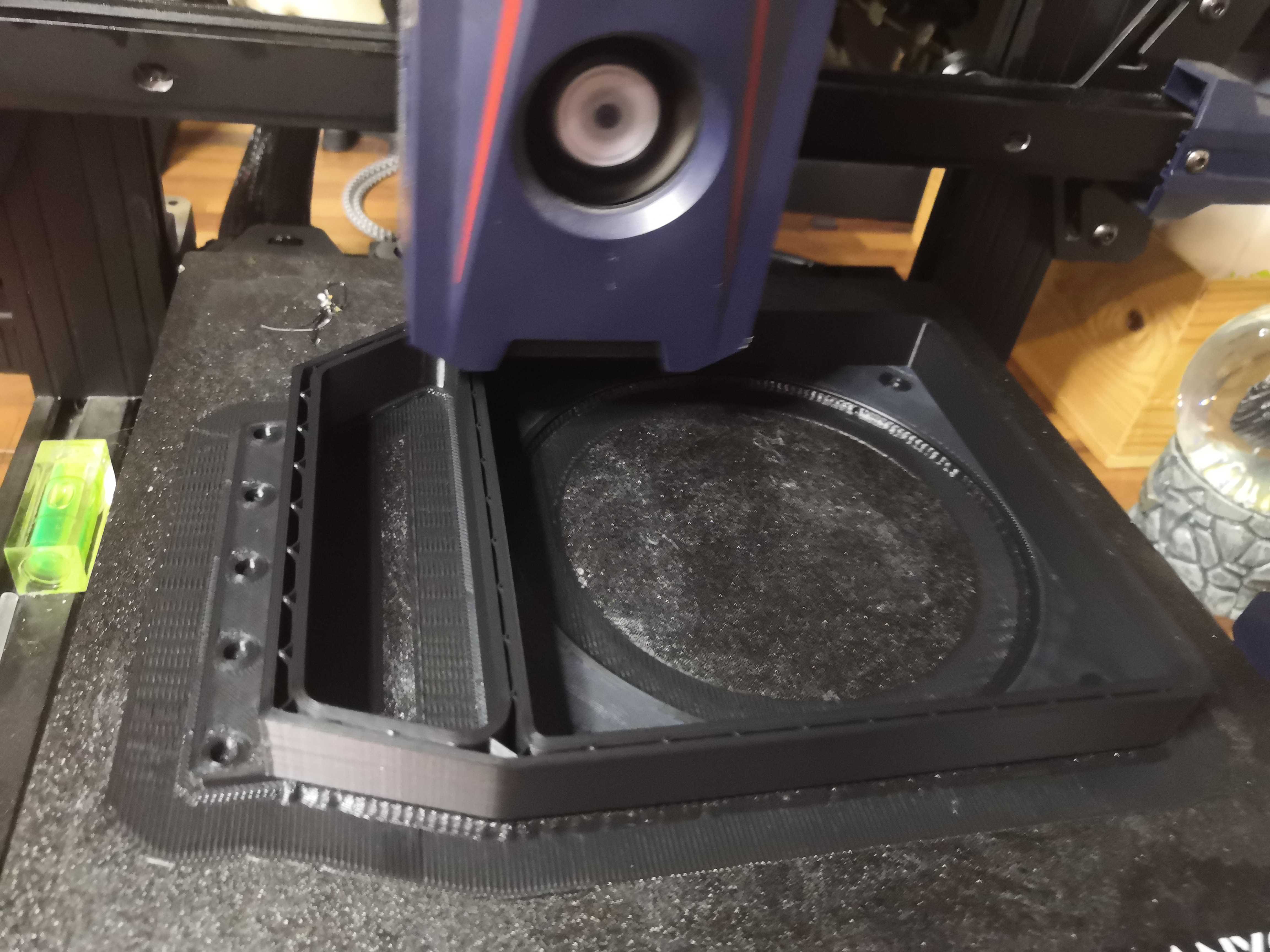
The 3D-printed bracket in its slot.
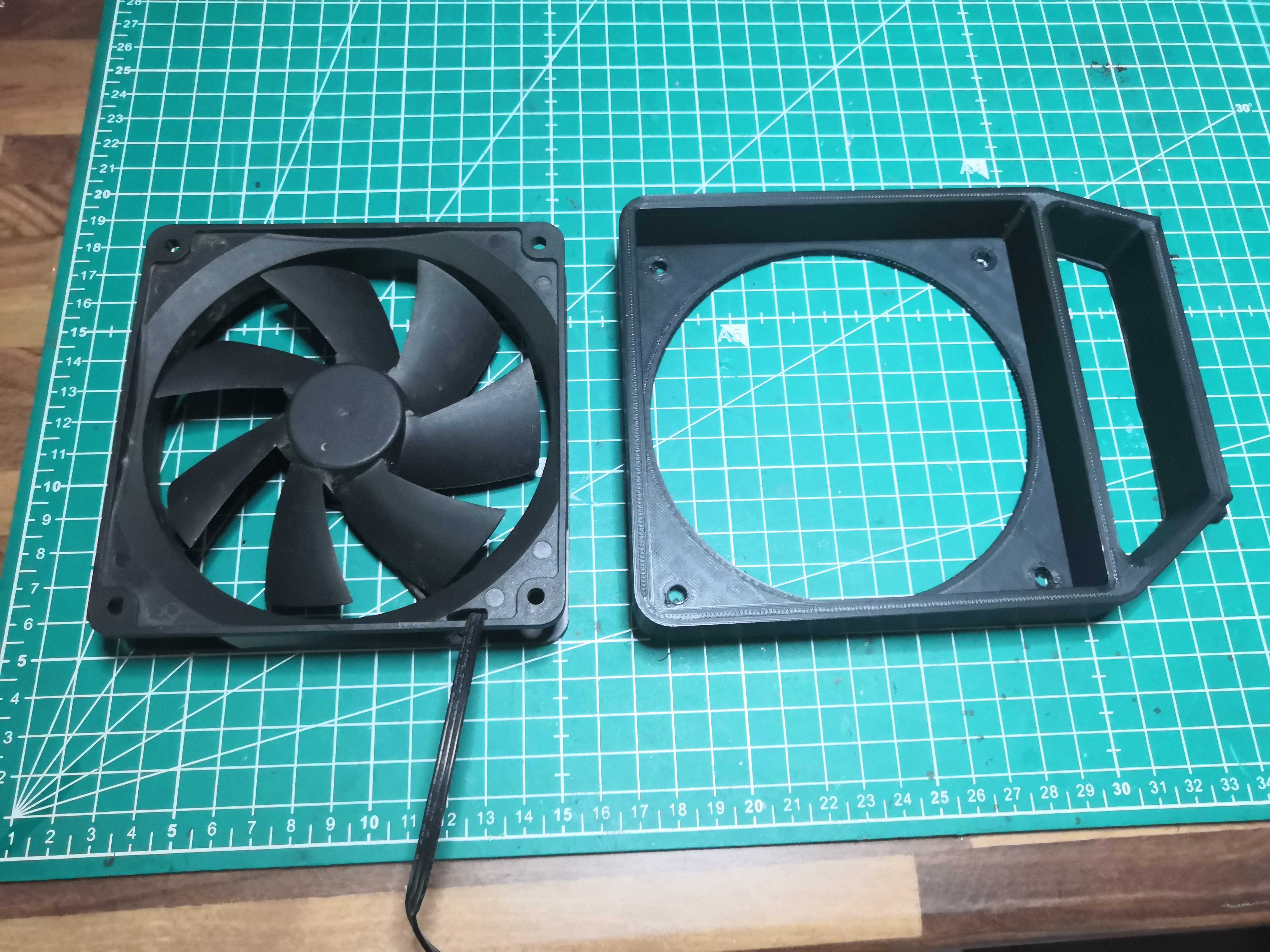
The 120mm fan and its bracket, side by side before assembly. The mounting holes line up perfectly. It fits to the millimeter.
The original .3mf file is on Printables. It’s also available for direct download here: PCI FAN bracket v4 — 3MF file (Gustavo / Printables)
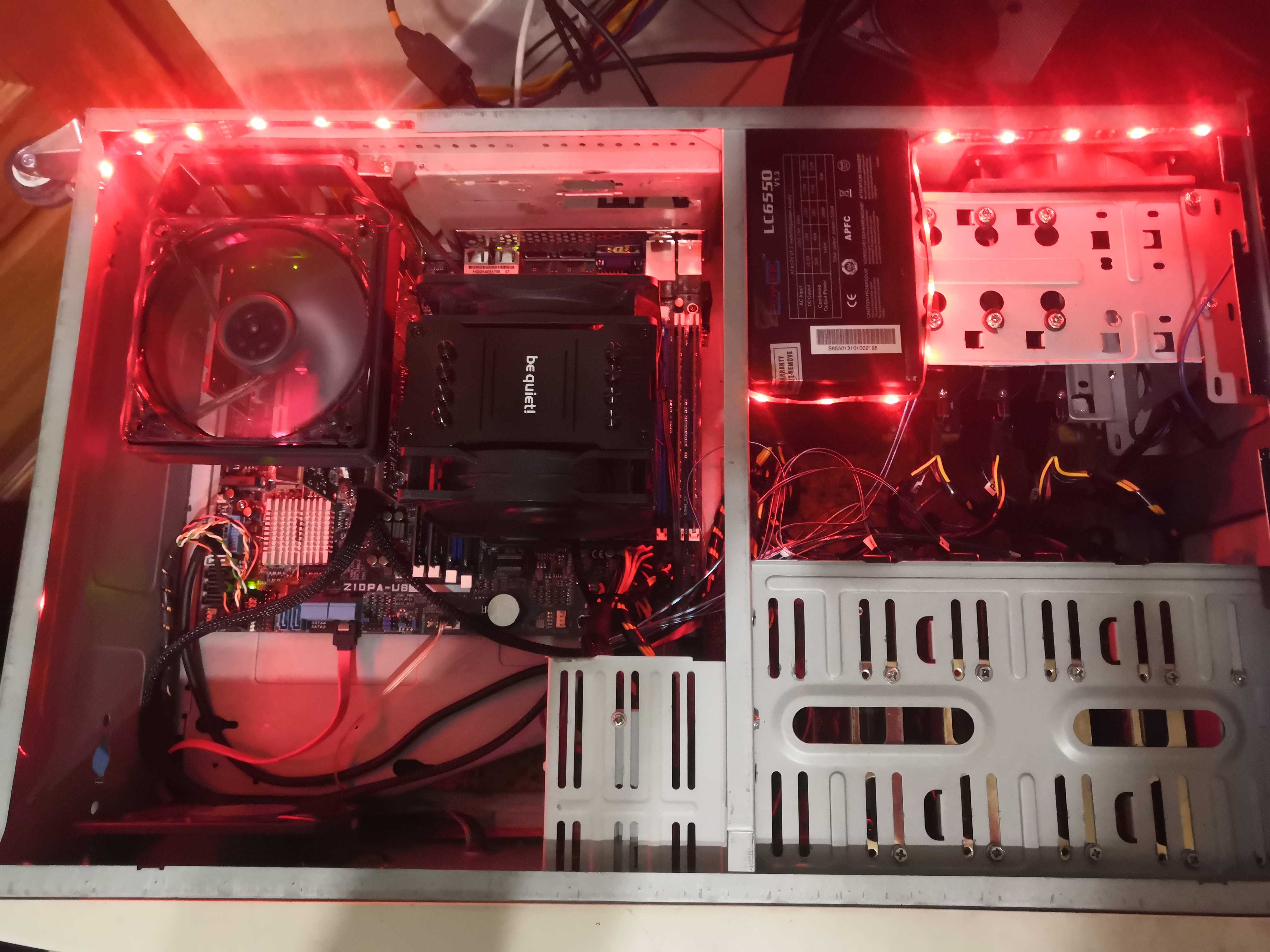
Overview of the open case.
The Rebuild
While the mechanical components are being adjusted, the controller does its job. The Check Consistency process, run in parallel with the rebuild, verifies data integrity once the volume has been rebuilt.
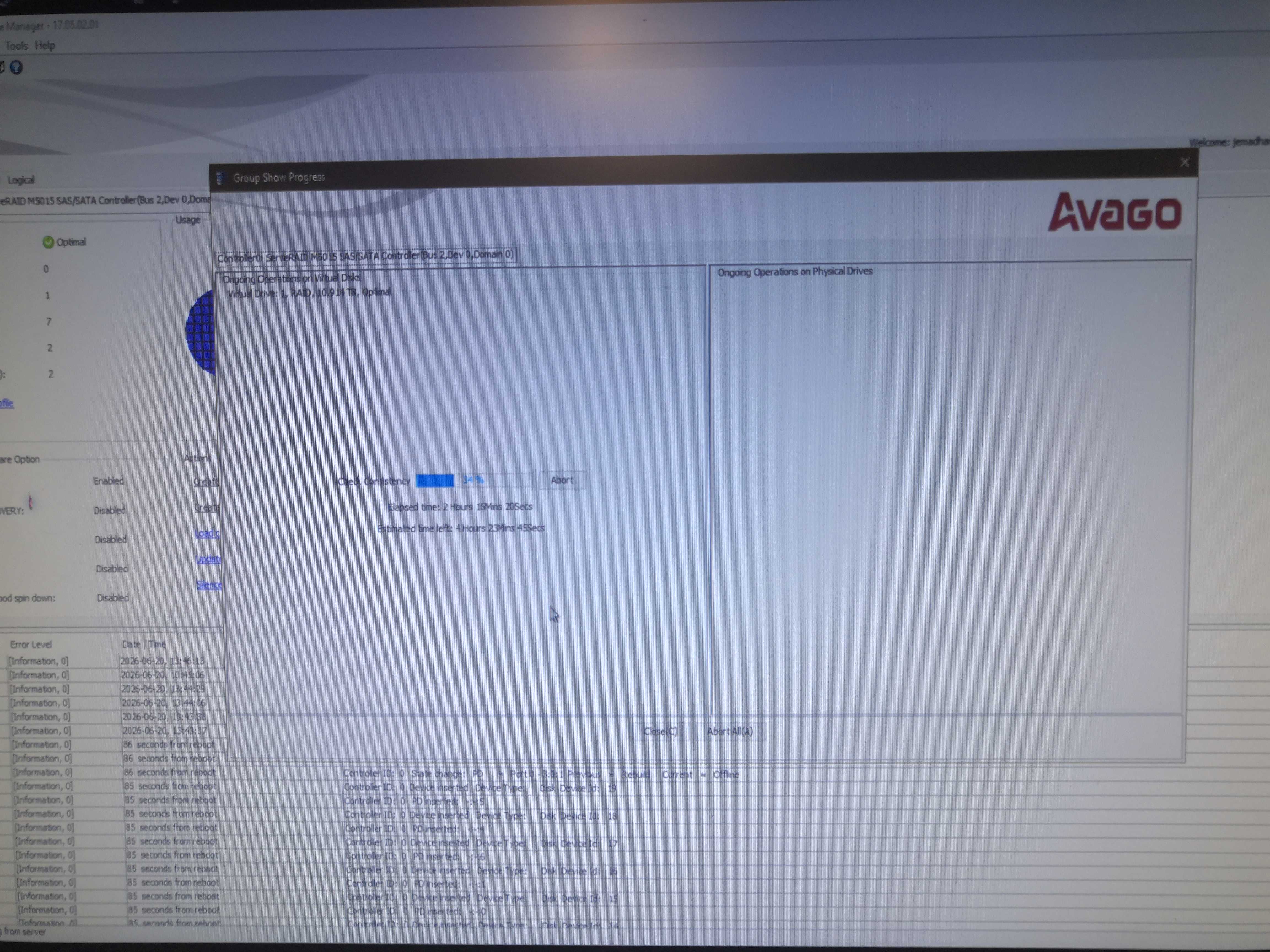
Group Show Progress: Check Consistency at 34% on Virtual Drive 1, RAID 10.914 TB. 2h16 elapsed, approximately 4h23 remaining according to the estimate. The VD is already in Optimal status—the rebuild is complete, and the check is valid.
The VD is already Optimal at the time of the check—the rebuild went well, no data lost. The Consistency Check detects nothing abnormal. Serviio resumes operations, as do the TVs in the house.