There are upgrades you do because you need them. And then there are those you do because an 18-core Xeon E5-2699 v3 popped up on eBay at a price that made no sense: 26 euros
My backup server had been running on an E5-2667 v3 up until now—8 cores, 3.2 GHz base clock, reliable, efficient, no-fuss. The kind of CPU that’s been doing its job without complaint for a long time. But there it was, the 2699 v3, looking at me with its cute little eyes, and I gave in.
What finally convinced me: this server isn’t just a backup server. It’s primarily my disaster recovery hypervisor. In the event of a major glitch on the main infrastructure, it’s the one that has to host the 25 production VMs until things are back on track. 8 cores to run 25 VMs simultaneously—even in degraded mode—might be a bit underpowered. 18 cores… now we’re talking.
And while we were at it, the newly released 2667 v3 went to upgrade the LTO server (which was running on an E5-2640 v3), and the 2640 took its well-deserved retirement. A nice, clean cascade.
The backup server configuration
- Motherboard: ASUS Z10PA-U8 (LGA2011-3, single socket)
- Previous CPU: Intel Xeon E5-2667 v3 — 8c/16t, 3.2 GHz base / 3.4 GHz turbo, 135W TDP
- Current CPU: Intel Xeon E5-2699 v3 — 18 cores/36 threads, 2.3 GHz base / 2.6 GHz turbo, 145W TDP
- RAM: 128 GB DDR4
- OS: Windows Server 2022 Datacenter
- Cooling: Arctic Freezer 13 Pro
Cooling: Arctic Freezer 13 Pro
A word about the CPU cooler, because the question was bound to come up.
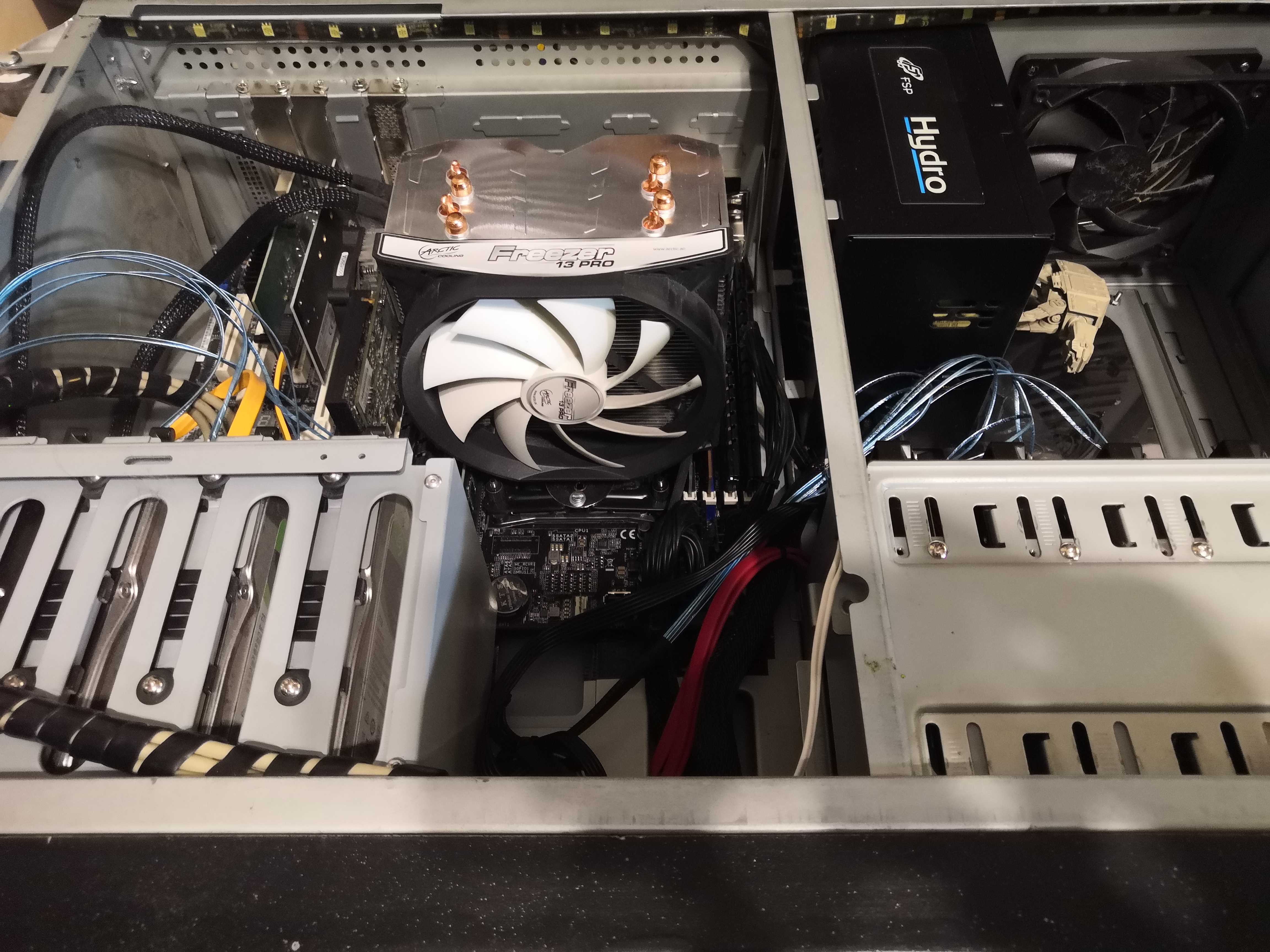
The Arctic Freezer 13 Pro is a tower-style CPU cooler featuring a 120mm PWM fan, four 8mm copper heat pipes, 47 fins, and a small 50mm fan at the base to blow air over the VRMs (“Cross-Blow” technology). Rated capacity: 300W. Costs next to nothing.
The catch: it’s officially designed for standard sockets. Mounting it on an LGA2011-3 required a mounting kit normally intended for water cooling. Sorry, no photos of the installation, but rest assured it stays in place and does a great job of cooling.
Testing Methodology
To get a clean before-and-after comparison, I used RealBench 2.56 in Benchmark mode, with the following settings:
- Allocated RAM: Up to 16 GB
- 1 run
- All phases enabled (Image Editing, H.264 Encoding, OpenCL, Heavy Multitasking)
In parallel: HWiNFO64 for temperatures, Task Manager (CPU tab) for frequency and load.
Both runs were performed under the same conditions. The 30-minute stress test preceded the benchmark to ensure temperatures were representative of sustained load.
Before: E5-2667 v3
30-minute stress test
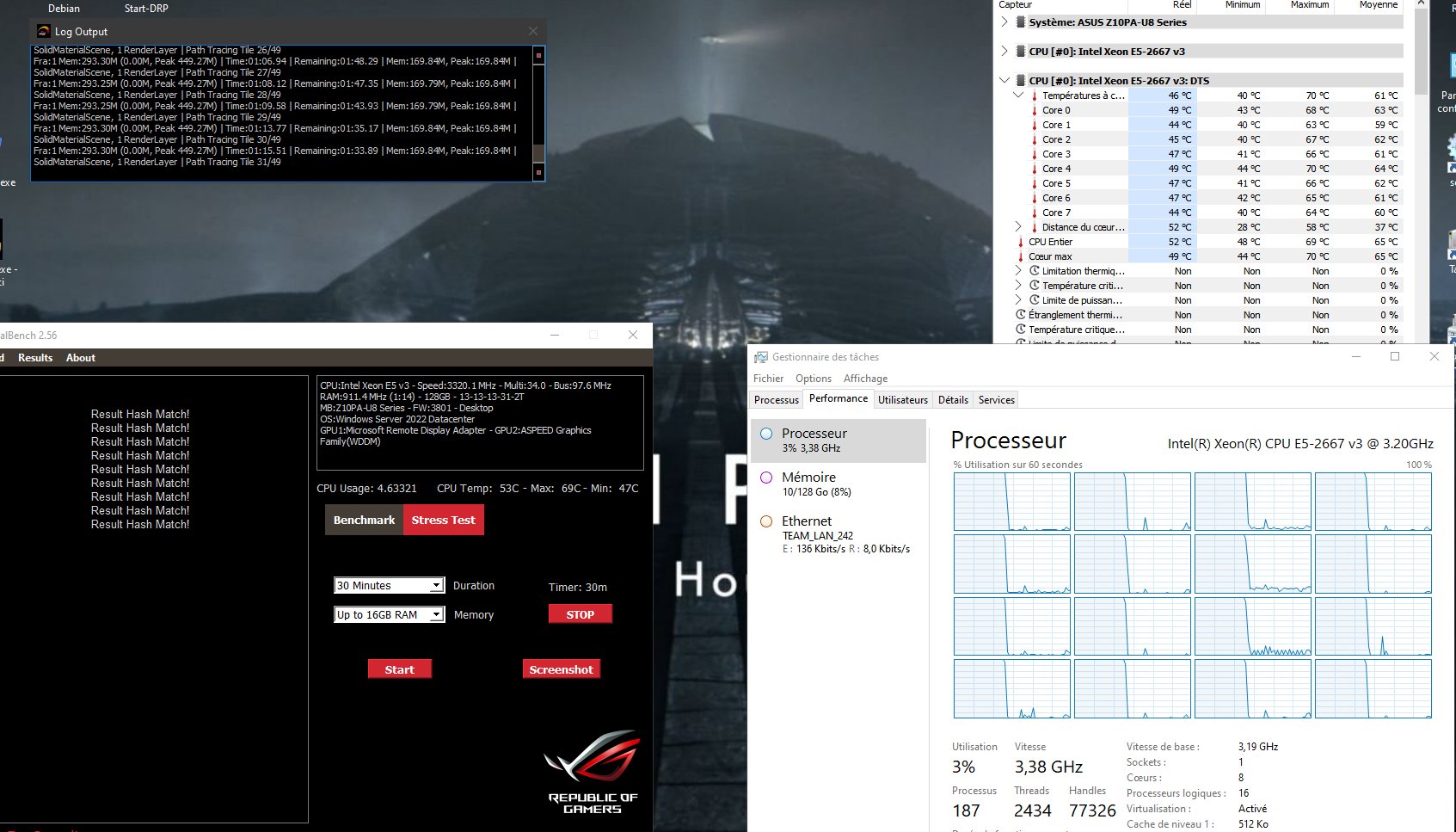
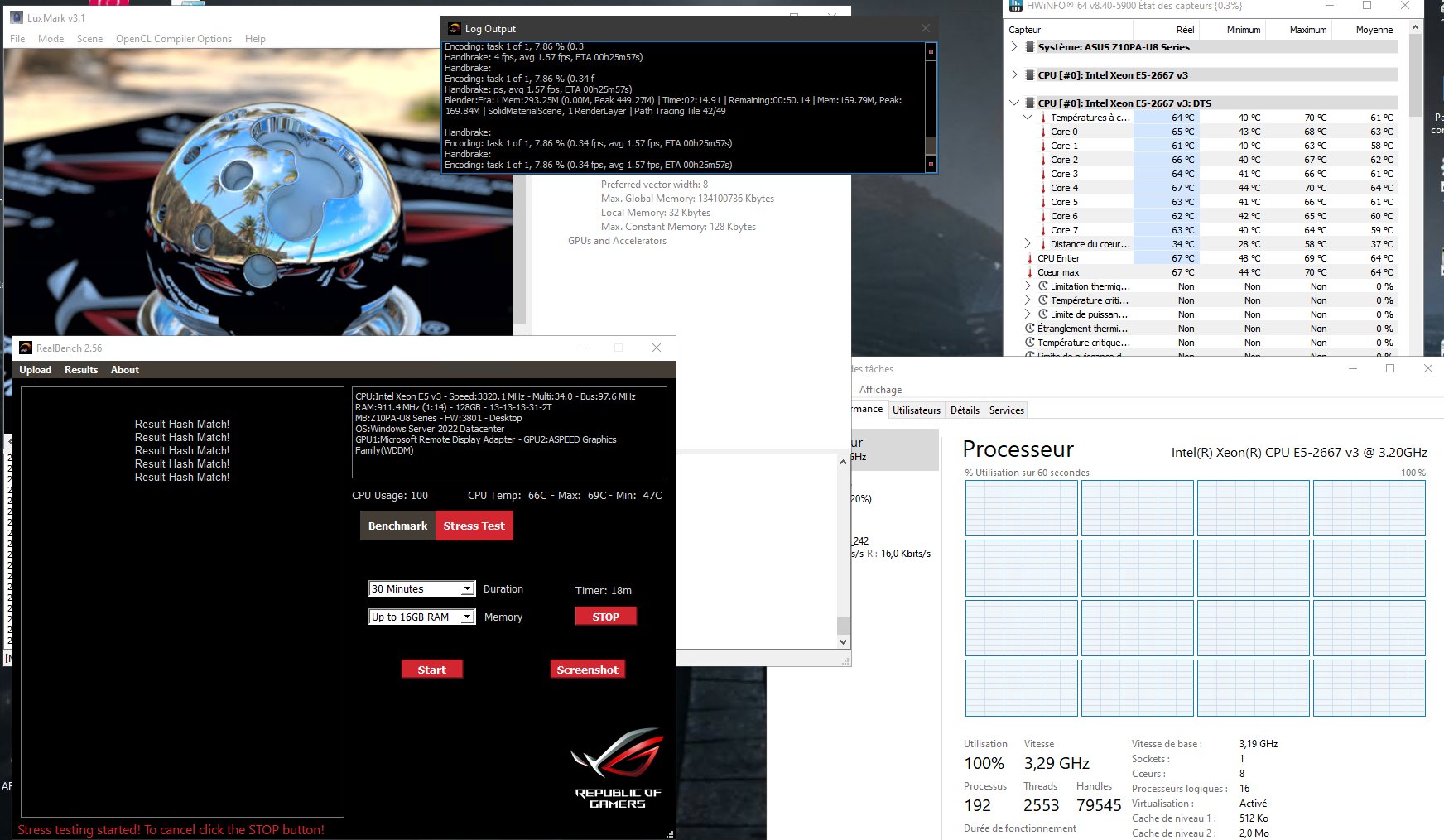
The CPU under maximum load for 30 minutes:
- All-core frequency: 3.29 GHz
- Max CPU temperature: 69°C
- Max core temperature: 70°C
- Min temperature: 47°C
- All hashes: match ✅
RealBench Benchmark Score
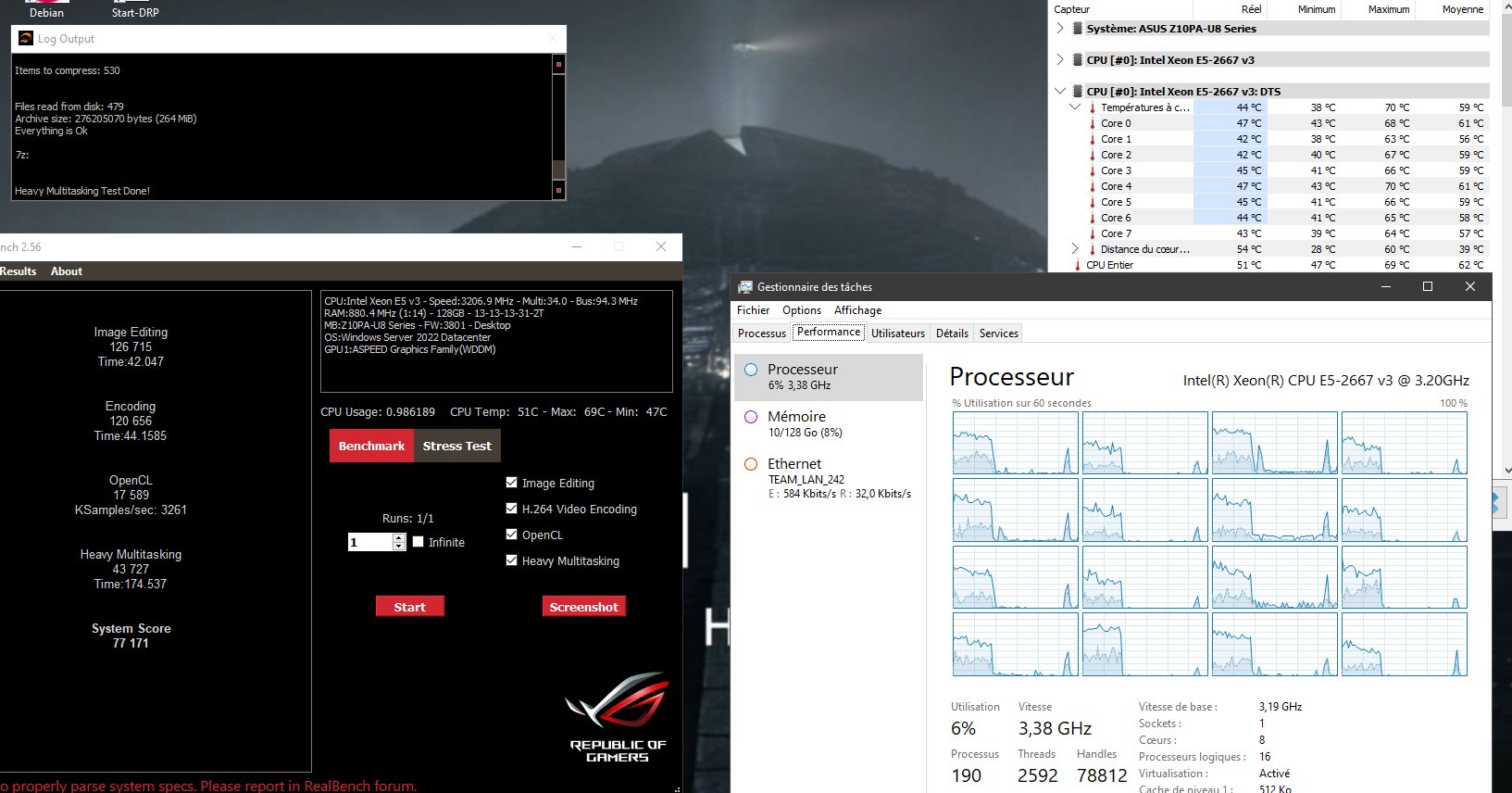
| Test | Score | Time |
|---|---|---|
| Image Editing | 126,715 | 42.05s |
| H.264 Encoding | 120,656 | 44.16s |
| OpenCL | 17,589 | — |
| Heavy Multitasking | 43,727 | 174.54s |
| System Score | 77,171 | — |
Next: E5-2699 v3
The swap itself went smoothly
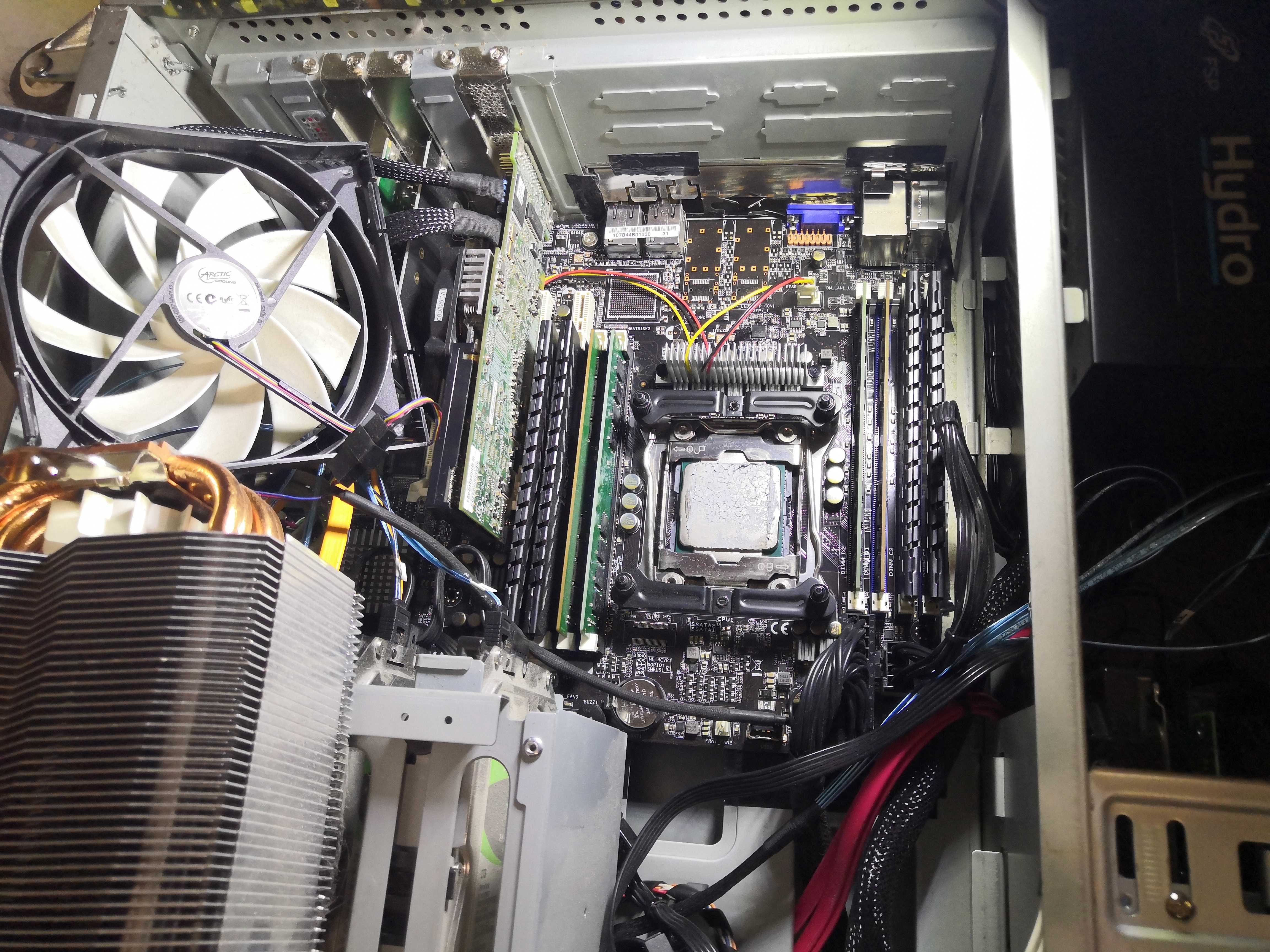
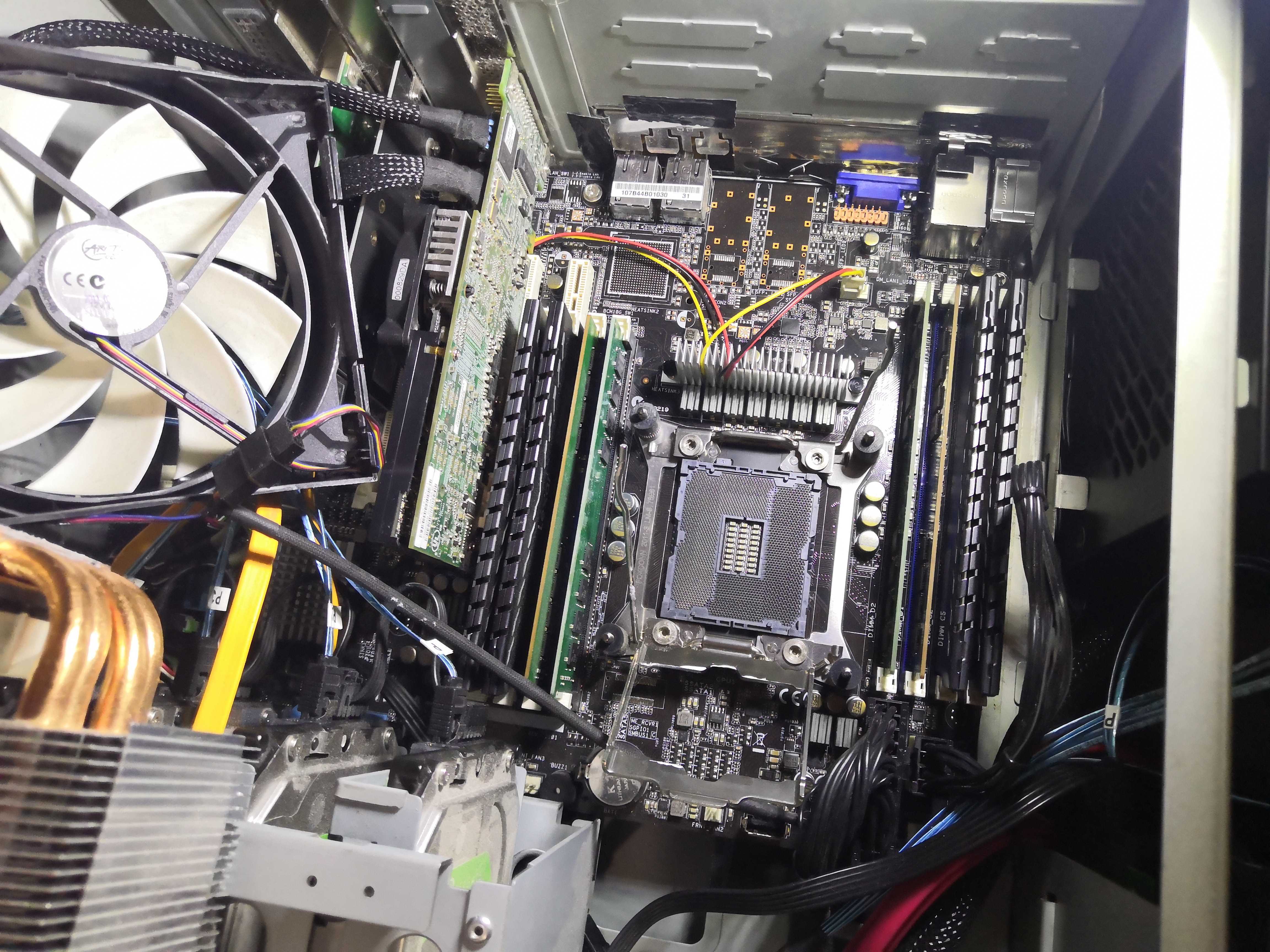
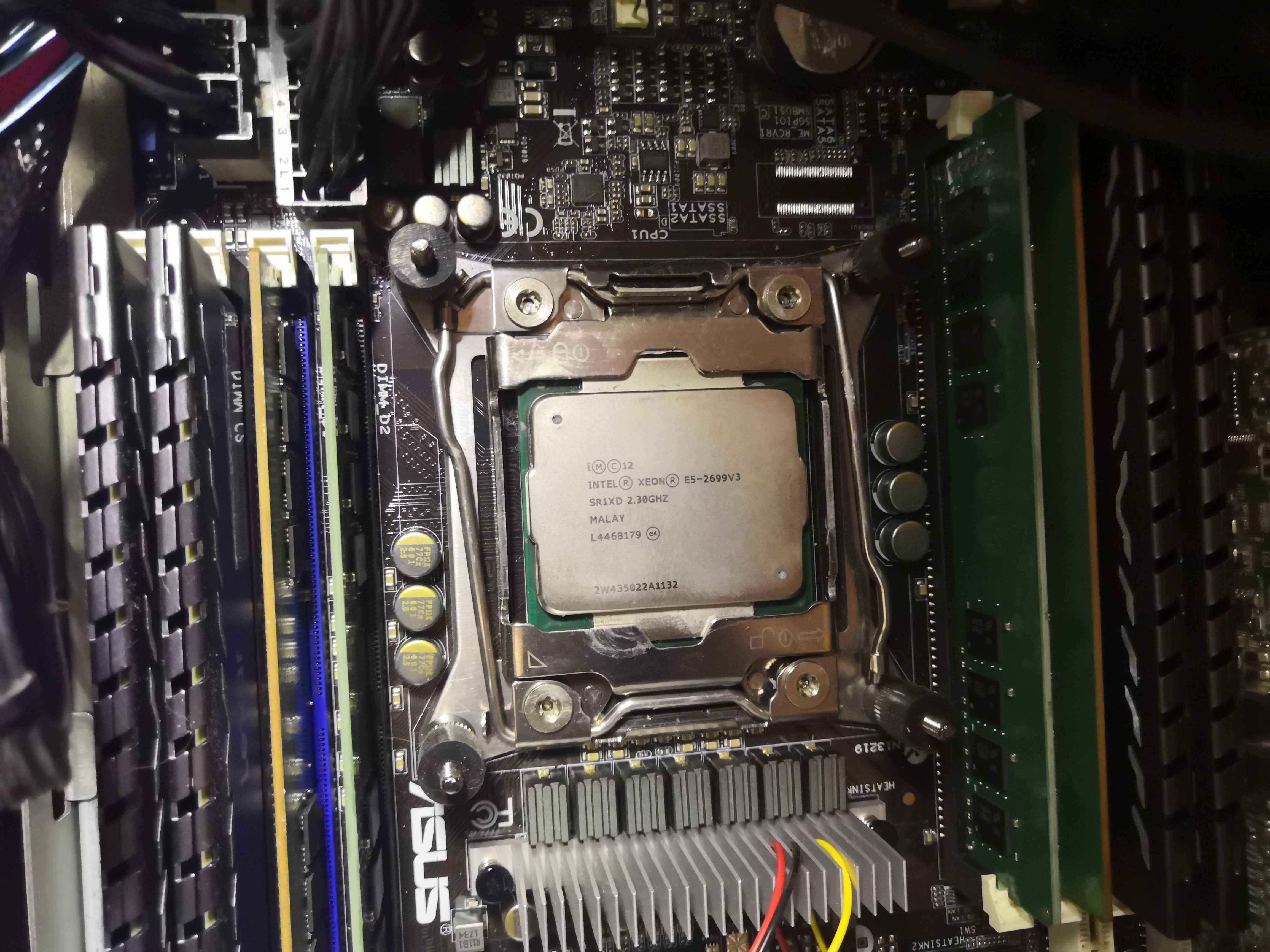
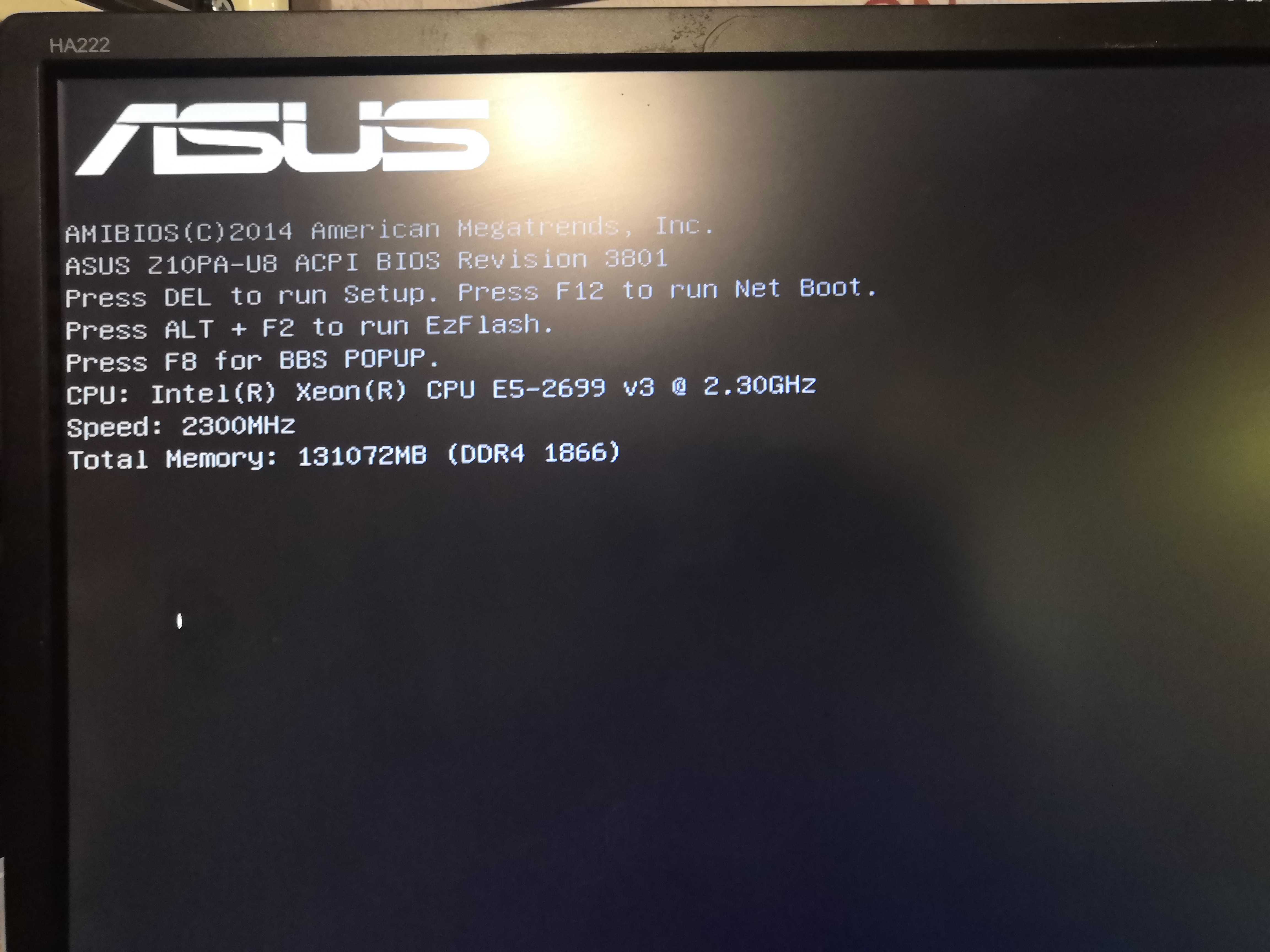
Same LGA2011-3 socket; the Z10PA-U8 BIOS immediately recognizes the 2699 v3.
First Look: Task Manager
Reboot, Windows Server 2022 detects 18 cores / 36 threads without a hitch.
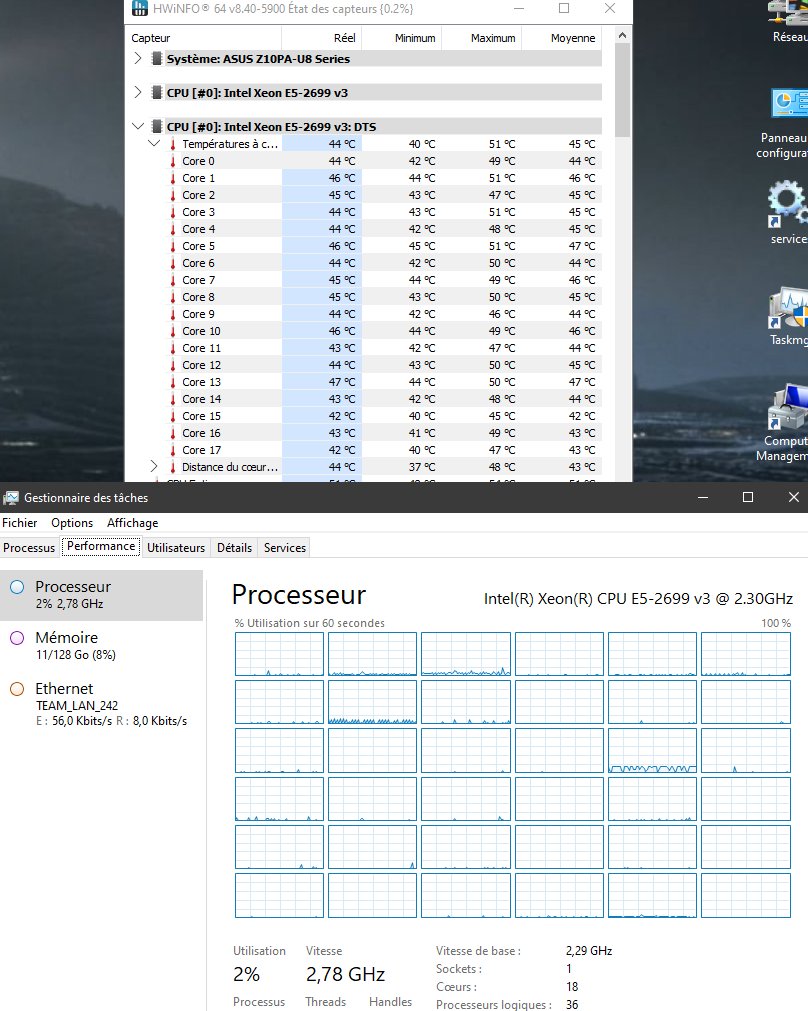
36 little squares. It’s silly, but it’s satisfying.
- Cores: 18
- Logical processors: 36
- Base frequency: 2.29 GHz
- Idle frequency: 2.78 GHz
- L3 cache: 45 MB
30-minute stress test
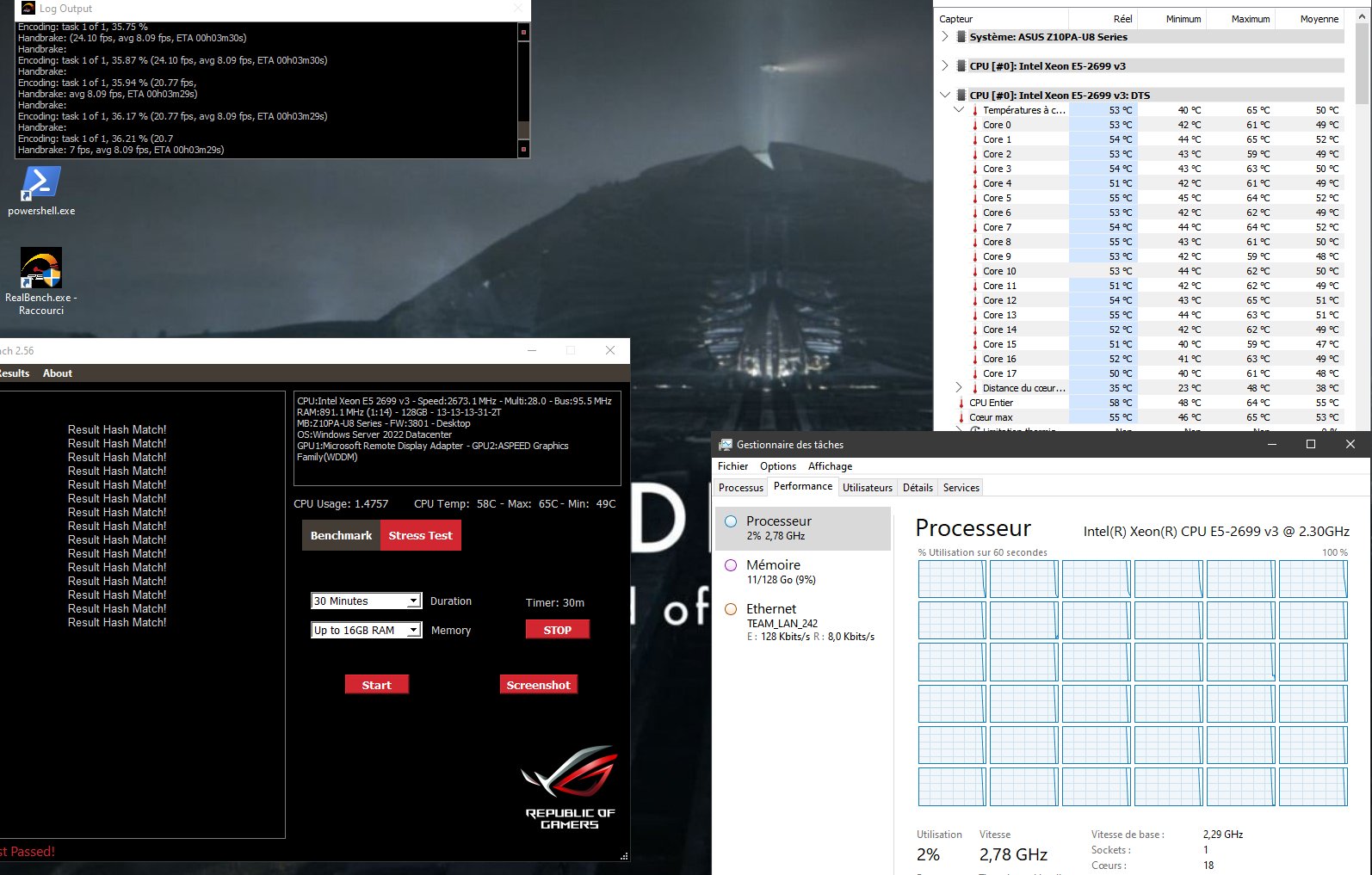
- All-core frequency: 2.67 GHz
- Max CPU temperature: 64°C
- Max core temperature: 65°C
- Min temperature: 49°C
- All hashes: match ✅
RealBench Benchmark Score
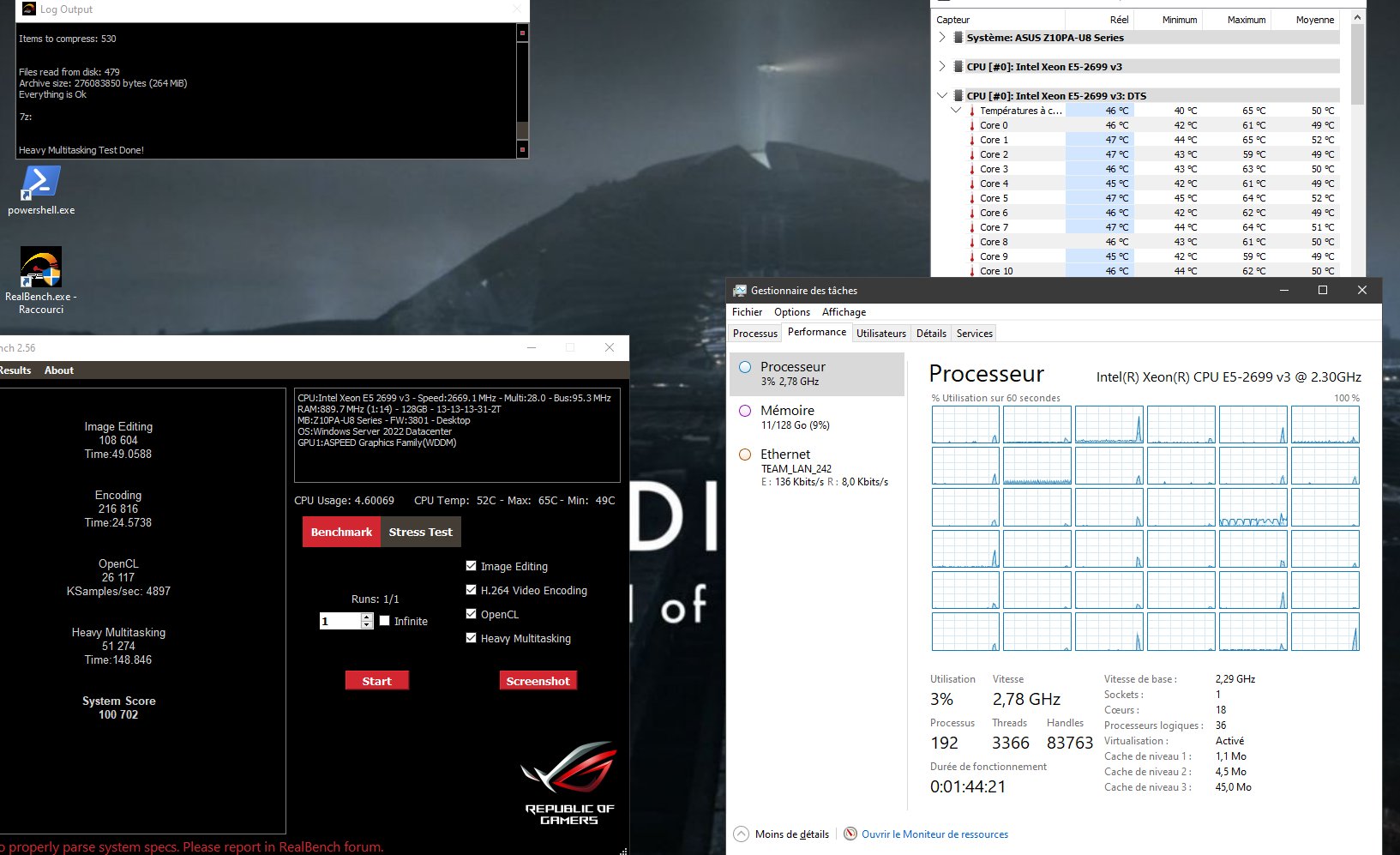
| Test | Score | Time |
|---|---|---|
| Image Editing | 108,604 | 49.06s |
| H.264 Encoding | 216,816 | 24.57s |
| OpenCL | 26,117 | — |
| Heavy Multitasking | 51,274 | 148.85s |
| System Score | 100,702 | — |
Full Comparison
| E5-2667 v3 | E5-2699 v3 | Delta | |
|---|---|---|---|
| Cores / Threads | 8 / 16 | 18 / 36 | +125% threads |
| Base frequency | 3.2 GHz | 2.3 GHz | -900 MHz |
| All-core boost frequency | 3.29 GHz | 2.67 GHz | -620 MHz |
| TDP | 135W | 145W | +10W |
| Max Temp (30-min stress test) | 69°C | 64°C | -5°C |
| Image Editing | 126,715 | 108,604 | -14% |
| H.264 Encoding | 120,656 | 216,816 | +80% |
| OpenCL | 17,589 | 26,117 | +48% |
| Heavy Multitasking | 43,727 | 51,274 | +17% |
| System Score | 77,171 | 100,702 | +30% |
The 2699 v3 runs cooler than the 2667 v3
5°C cooler under full load, even with an additional 10W of TDP and twice as many cores. The lower frequency is obviously the cause: 64°C max—the CPU cooler is on vacation.
Image editing performance drops
-14% in this test. It’s mostly single-threaded, and in this area the 2699 v3 is objectively slower—2.67 GHz all-core vs. 3.29 GHz. The 2667 v3 wins hands down as soon as we move away from massive parallelism. It’s fair to note this rather than hide it.
Encoding at +80%
This is the figure that sums up the upgrade. HandBrake, FFmpeg, Veeam compression—anything that knows how to use threads benefits massively. For a backup server, this is exactly where the real work happens.
BIOS Exploration: How Far Can We Go?
Since we were in there, we might as well explore what the Z10PA-U8 allows in terms of optimization.
ASUS Turbo Ratio Lock
The Z10PA-U8’s BIOS offers an ASUS Turbo Ratio Lock (ATRL) option. The name is misleading—it doesn’t “lock” the turbo at a low value; it forces the CPU to maintain its all-core turbo at the maximum allowed by the platform.
Results measured on both CPUs:
| CPU | Without ATRL | With ATRL |
|---|---|---|
| E5-2667 v3 (8c) | 3.5 GHz | 3.4 GHz |
| E5-2699 v3 (18c) | 2.35 GHz | 2.67 GHz |
The option is counterproductive on high-frequency CPUs with few cores (the 2667 v3 performs better without it), but clearly beneficial on many-core CPUs where the CPU struggles to maintain its turbo speed naturally.
ThrottleStop and PL1/PL2
The Z10PA-U8 BIOS does not display the Power Limits (PL1/PL2) in its menus—likely a decision by ASUS for server motherboards. ThrottleStop allows you to modify them via the MSRs:
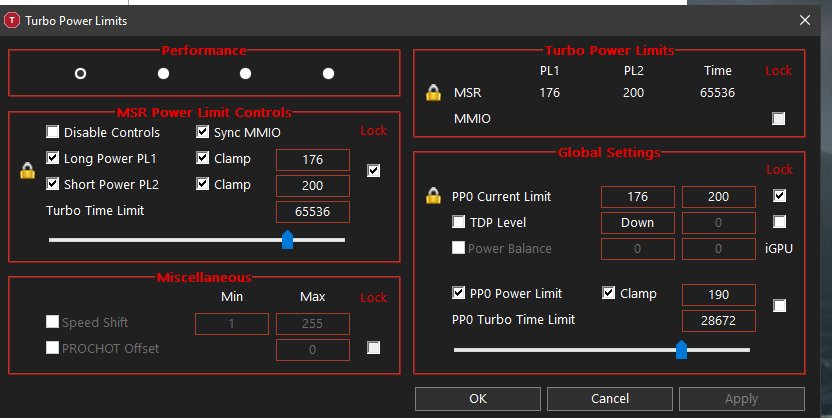
PL1 set to 176W, PL2 to 200W, Turbo Time Limit to 65536… The all-core frequency doesn’t budge by a single MHz. The Z10PA-U8’s VRM is sized for the board’s nominal TDP, not to handle a CPU that decides to draw an extra 50W. ThrottleStop writes correctly to the registers, but the platform doesn’t follow through.
The microcode hack (for the adventurous)
There is a hack documented on the AnandTech forum that involves removing the Intel microcode from the BIOS and loading an alternative EFI driver at boot to unlock all-core turbo ratios. Reported results: 3.1–3.3 GHz all-core on a 2699 v3.
Issue specific to the Z10PA-U8: no BIOS Flashback. Flashing a modified BIOS requires an older version of AFUWINx64 with the /GAN switch to bypass signature verification. If it fails: permanent brick.
On a production backup server: no thanks. The AnandTech thread is there for the curious.
Exploring the IntelRCSetup BIOS
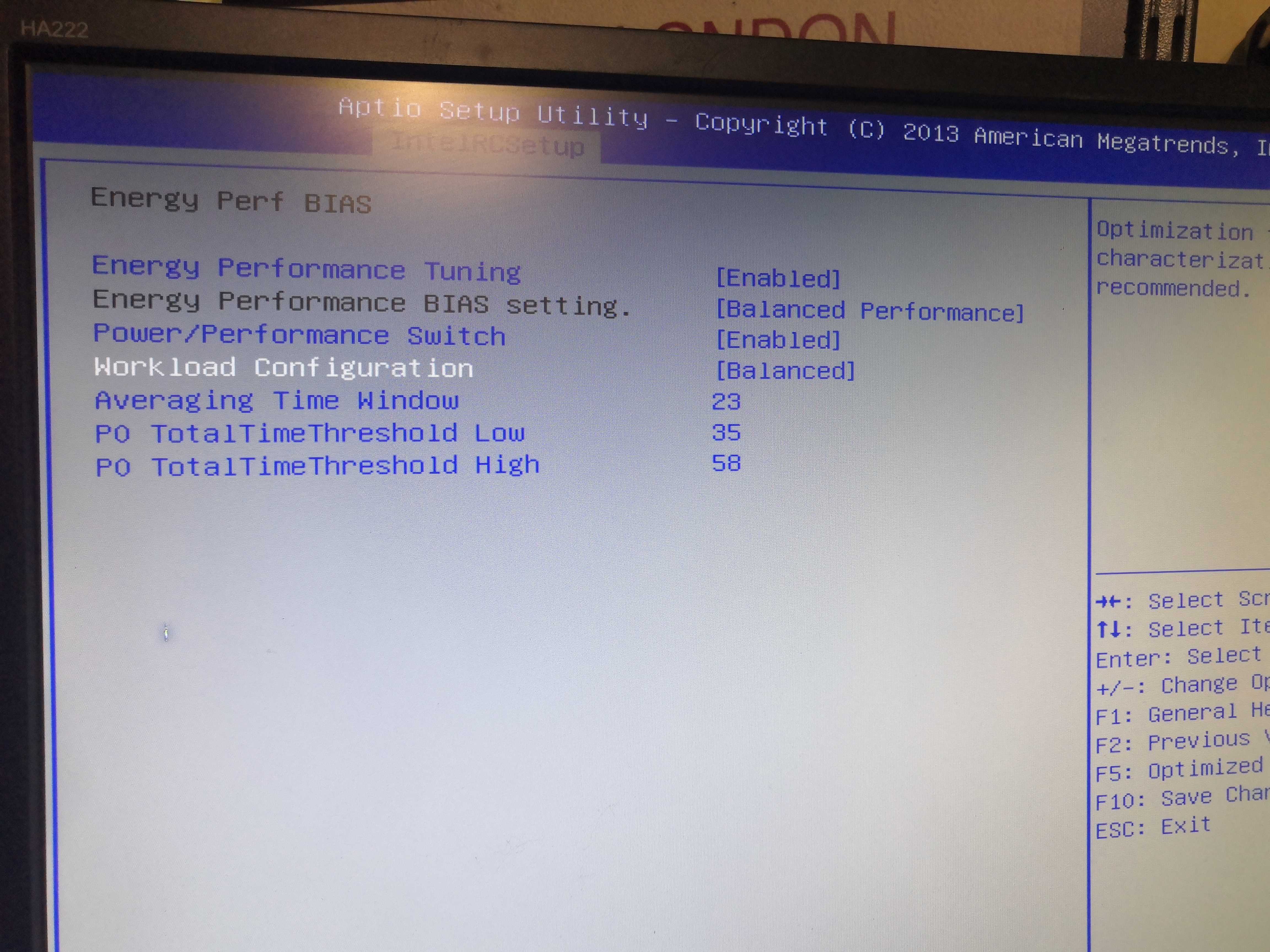
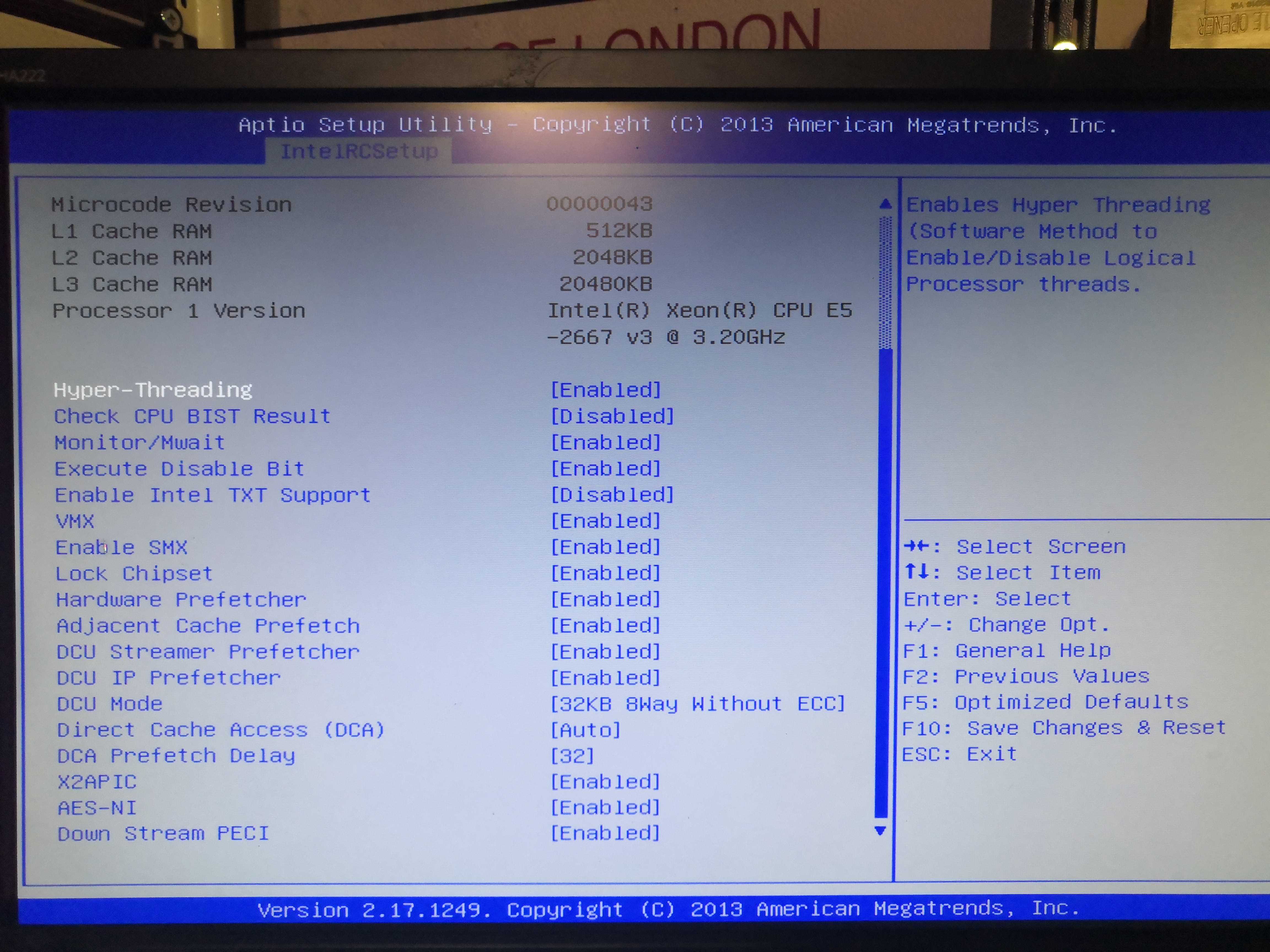
The IntelRCSetup menu offers some interesting options under Energy Perf BIAS (Workload Configuration, P0 Thresholds) but nothing decisive for all-core frequency. The Turbo Power Limits are simply not exposed.
Conclusion
+30% overall score on RealBench, +80% on encoding, -5°C under load. On paper, that’s already good. But the real selling point—the one that justifies the upgrade beyond the benchmark—is the PRA.
This server is the backup hypervisor for the infrastructure—25 production VMs that need to be able to fail over to it in case of a major issue. With 8 cores, running 25 VMs simultaneously was a struggle. With 18 cores and 36 threads, we’re in the clear.
26 euros on eBay is the best value of the quarter.
The Freezer 13 Pro, on the other hand, is really struggling at 64°C.