Background: Switching my hypervisor platform
Goal: Migrate my main hypervisor from a consumer platform—B560, i7-11700KF, 128 GB of DDR4 Patriot Viper Elite II—to an ASUS Z10PA-U8 with a Xeon E5-2699 v3. 18 cores, 36 threads, 145W TDP, LGA2011-3. Same motherboard as the backup server, which has been running smoothly for some time now.
The Z10PA-U8 came from eBay. 70 euros. A seller who’s offloaded over 300 of them, from a dismantled corporate fleet. At that price, you don’t get picky.
Day One: The card recognizes the 4x32 GB drives without a hitch; I restore the OS from an image to a new system SSD; about ten boots without a glitch; driver updates; everything’s running smoothly. I install the final heatsink for commissioning.
The next morning: Systematic B7.
B7 — MRC Progress, the memory initialization nightmare
On ASUS LGA2011-v3 server motherboards, the B7 Q-code means that the MRC (Memory Reference Code) is struggling with the RAM—and failing. This is the POST getting stuck during memory initialization.
Before diving into the diagnosis, let’s lay out what we know:
- Each module tested individually → boot OK
- 2 modules on the same channel (A1+A2) → boot OK, code B9 for a few seconds then BIOS
- 2 modules on two different channels (A1+B1, A1+C1…) → B7
- 4 modules regardless of the combination → B7
The RAM is not the issue. Neither are the slots. It’s the MRC that can no longer drive multiple channels simultaneously.
The usual suspects
We go through the standard list of fixes for this type of symptom.
CMOS reset + new battery. CLRTC jumper correctly positioned, CR2032 battery replaced, left unpowered overnight. No change.
BIOS options. The Z10PA-U8 offers an unreasonable number of settings in the IntelRCSetup → iMC menu:
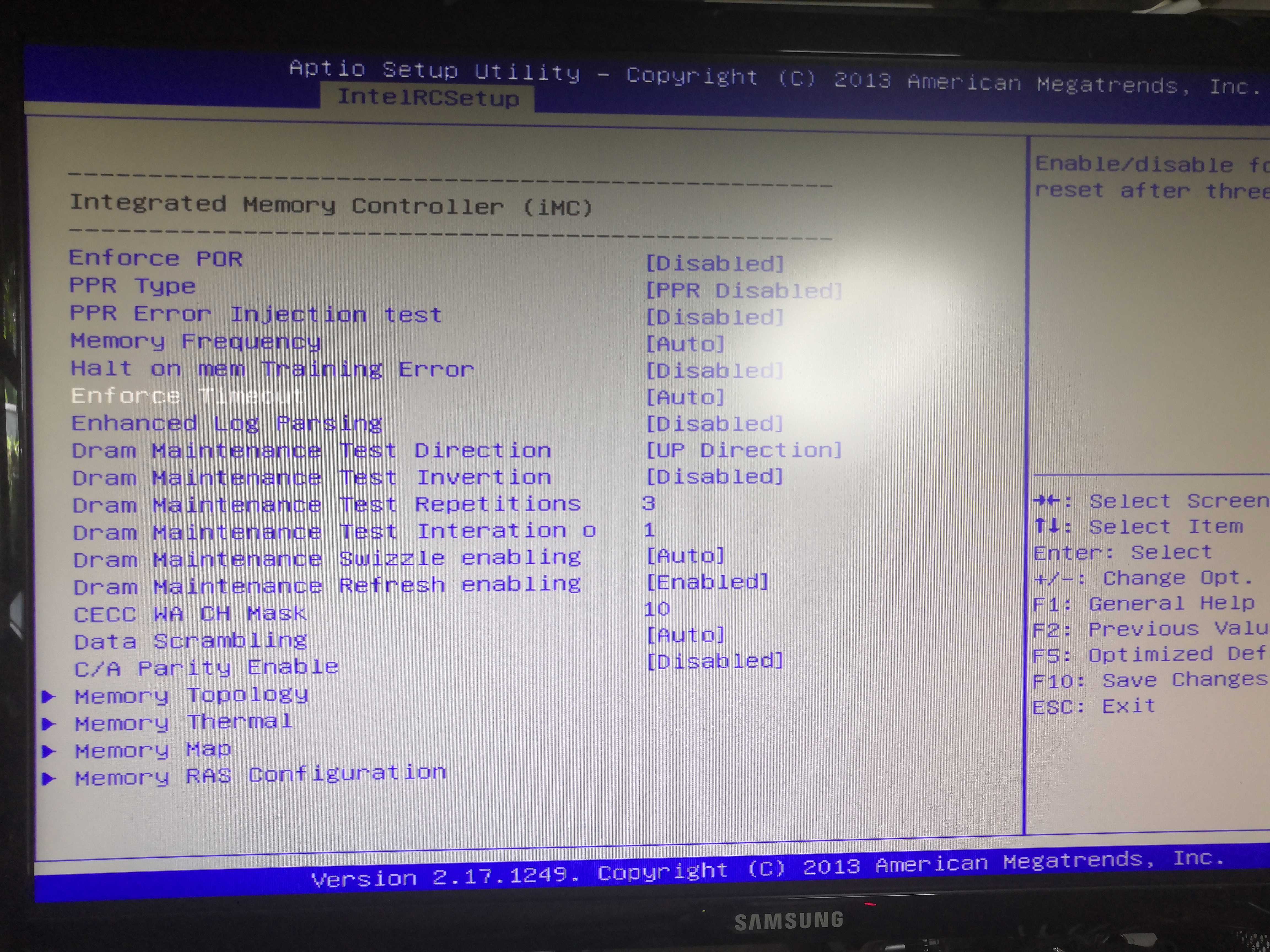
Among the options tested:
- Enforce POR → Disabled
- C/A Parity Enable → Disabled (to use UDIMM)
- Memory Frequency → set to 1866, then 2133, then Auto
- Halt on mem Training Error → Disabled
- Data Scrambling → Disabled
- Channel Interleaving → 1-way
- Rank Interleaving → 1-way
Nothing. Still B7 with 4 modules.
The RAM. The 4x32 GB modules are Patriot Viper Elite II DDR4-3200 CL18 1.35V.
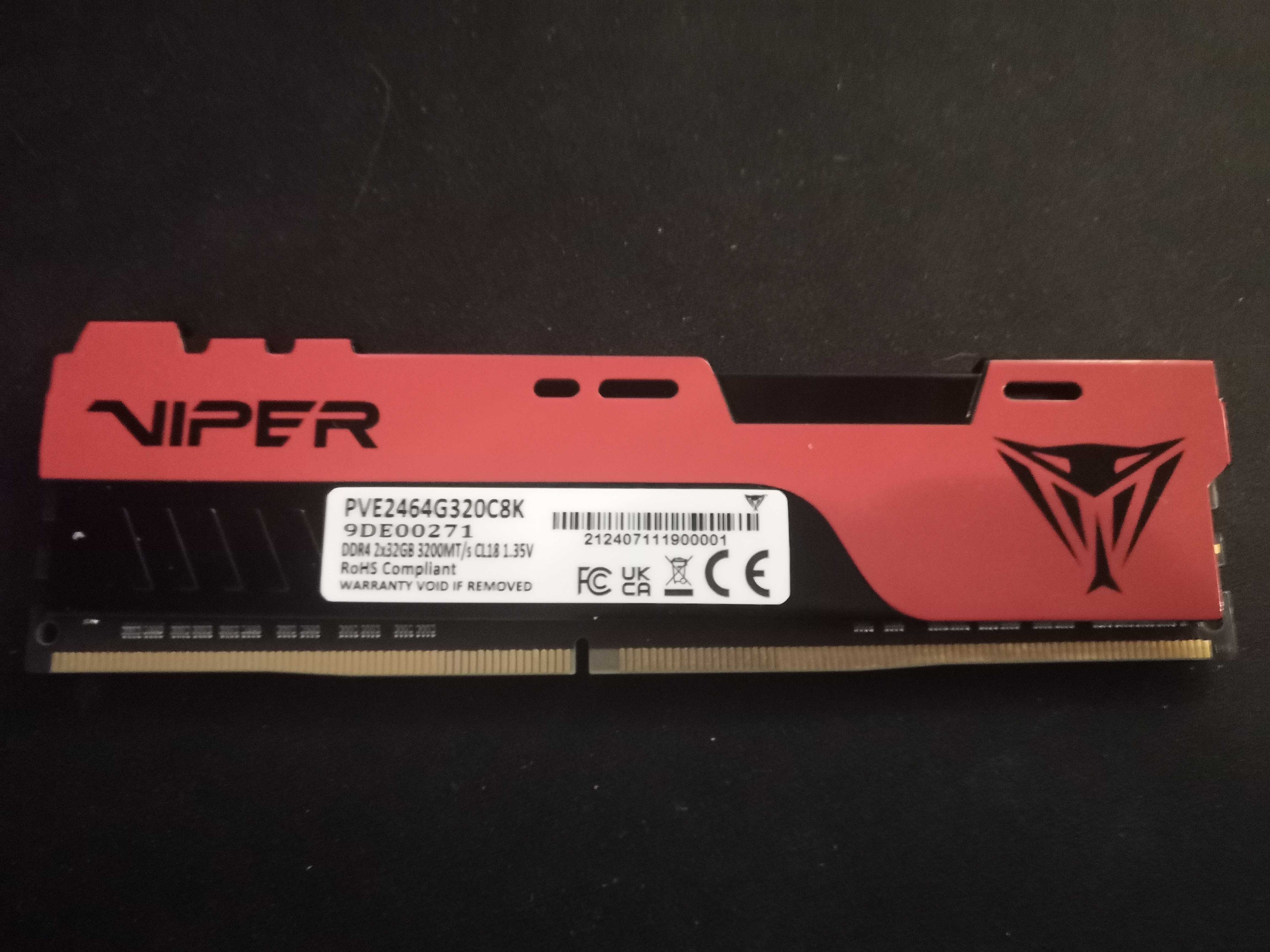
XMP gaming RAM, non-ECC, non-QVL. The SPD/MRC incompatibility theory is tempting… except that another server in the infrastructure is running with the same motherboard and 3200 XMP modules without a single issue. Hypothesis invalidated.
SEL BMC + clean boot sequence. Cleared the System Event Log, performed a full power cycle (power cord unplugged, capacitors discharged), then ran a boot sequence without RAM → 1 stick → 2 sticks → 4 sticks. Still B7.
Reseat CPU. Heatsink removed, CPU removed, socket inspected, CPU reinserted, heatsink properly reinstalled. Still B7.
Different CPU. Test with a different CPU in the socket: A1+C1 boots without issue. Reinstall the original CPU… and then:
4 RAM modules boot. Heatsink just placed on top, not secured.
The culprit: the pressure from the heatsink
The diagnosis becomes crystal clear. The only variable between "it works" and "systematic B7" wasn’t the BIOS, not the RAM, not the CMOS. It was the mechanical pressure exerted by the heatsink on the CPU.
On LGA2011-v3, the socket has 2011 pins. Uneven or excessive pressure from the heatsink is enough to slightly deform the CPU in its socket—and a single pin losing a few tenths of a millimeter of contact can cause an entire memory channel to fail. The MRC drives one channel → no problem. It tries to drive two or four in parallel → the electrical margin can’t hold → B7.
This is precisely the behavior we observe:
| Configuration | Result |
|---|---|
| 1 module (A1) | Boot OK |
| 2 modules same channel (A1+A2) | Boot OK |
| 2 modules different channels (A1+C1) | B7 |
| 4 modules | B7 |
| Heatsink installed without tightening | 128 GB OK |
| Heatsink tightened | B7 |
The motherboard is fine. The CPU is fine. The slots are fine. It’s the mechanical interface that’s throwing everything off.
The Magic Washer
The cooler in question is a Be Quiet Pure Rock 2, mounted in a push-pull configuration using parts salvaged from water-cooling kits—a DIY setup, as the Pure Rock 2 is not natively designed for LGA2011-v3. This type of non-standard setup does not guarantee perfectly uniform pressure across the socket’s 2011 pins.
The solution: insert a thin washer on each of the 4 mounting screws on the cooler, on the motherboard side. Thickness 0.3 to 0.5 mm, nylon or stainless steel material, all 4 must be identical. Tighten progressively in a cross pattern, a quarter turn at a time, never fully tightening one corner before the others.
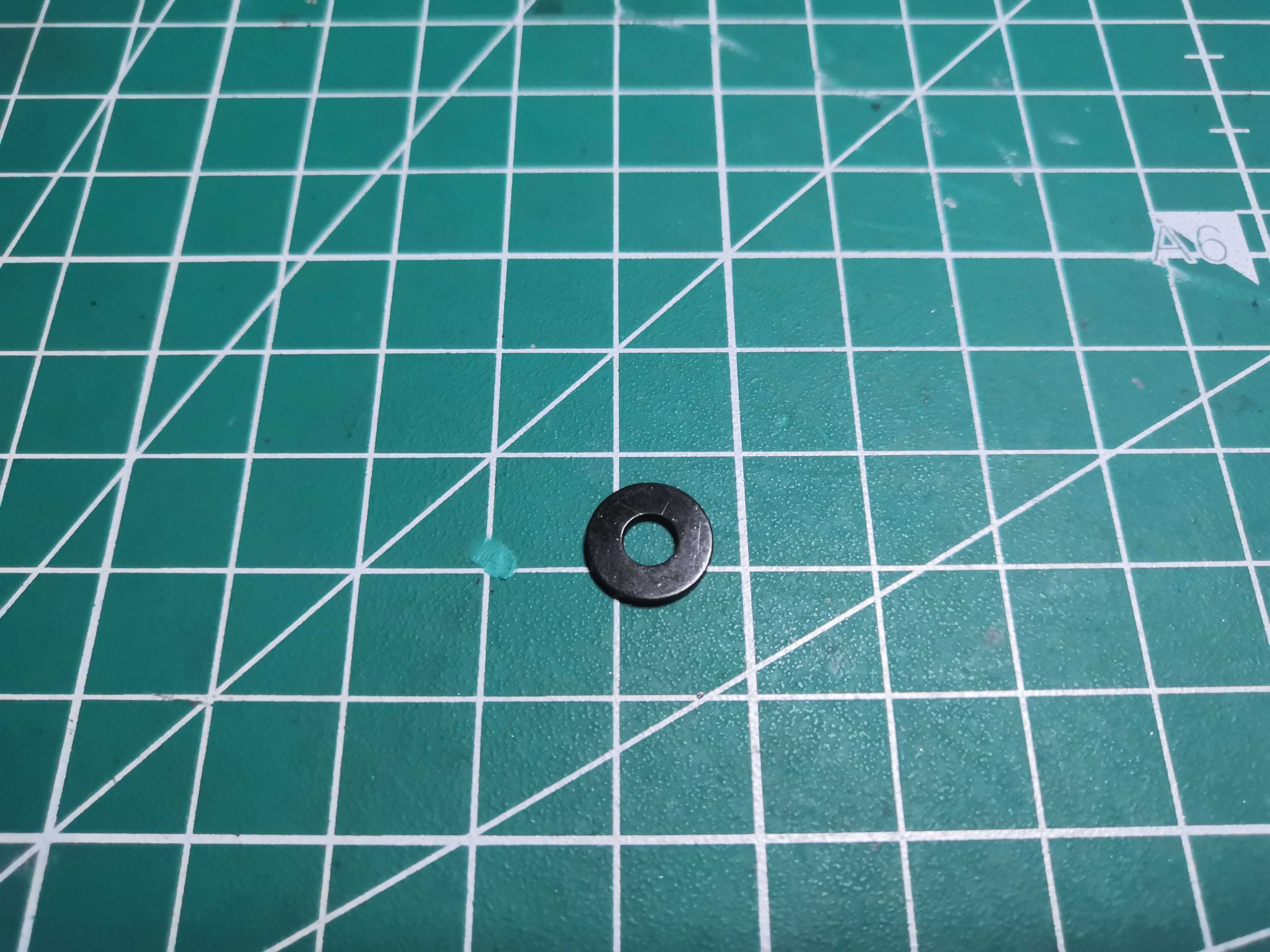
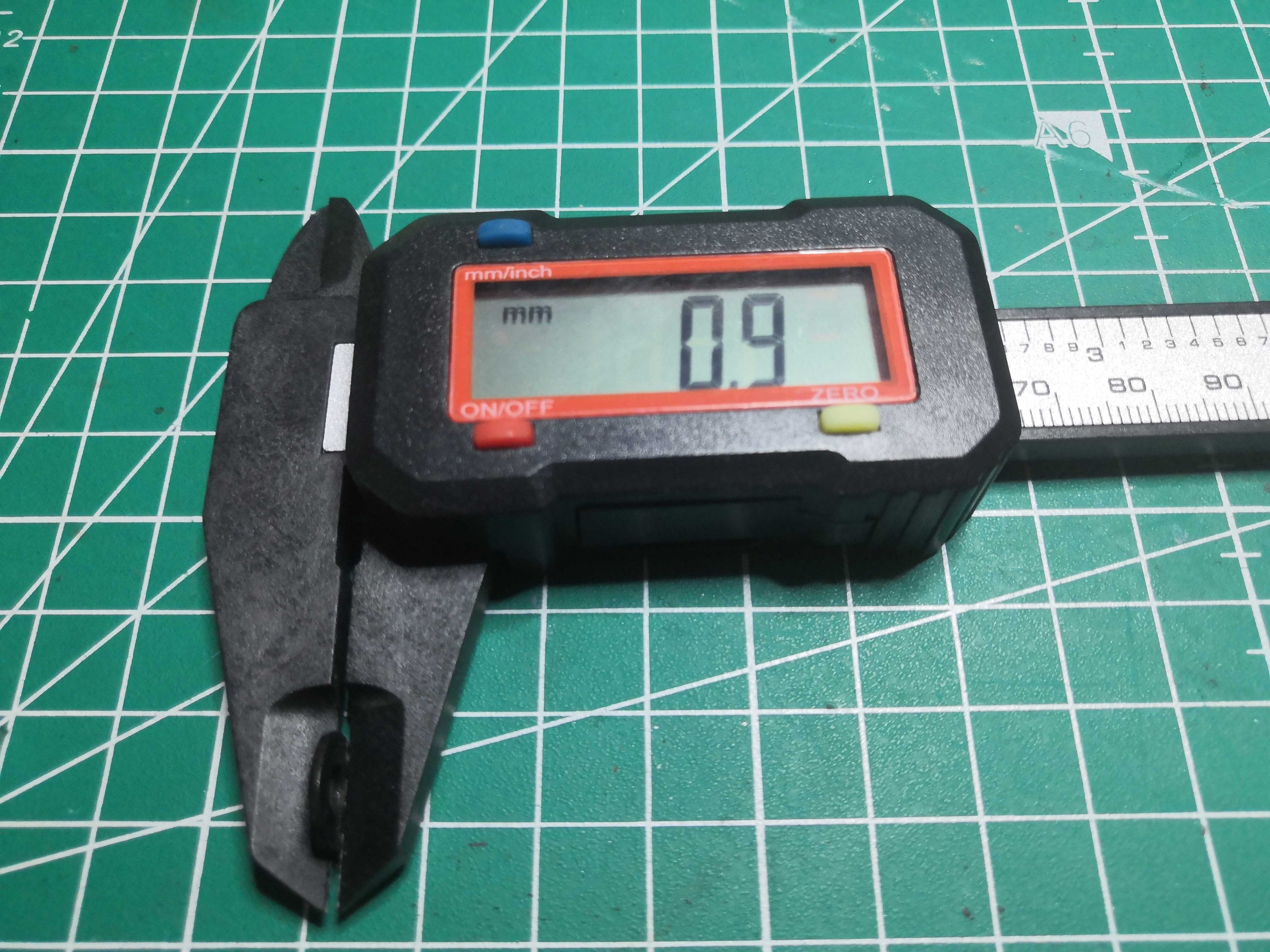
0.9 mm thick
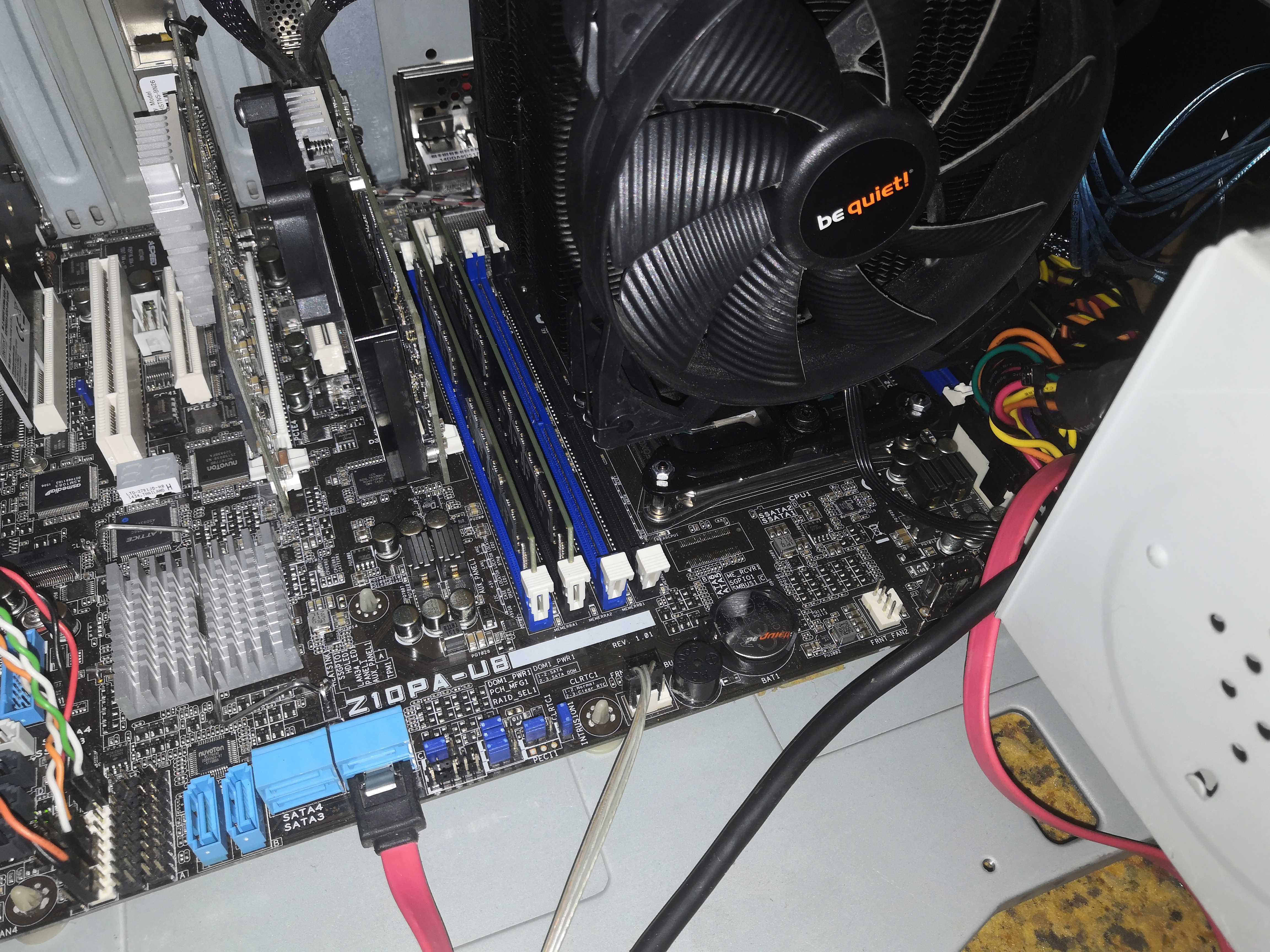
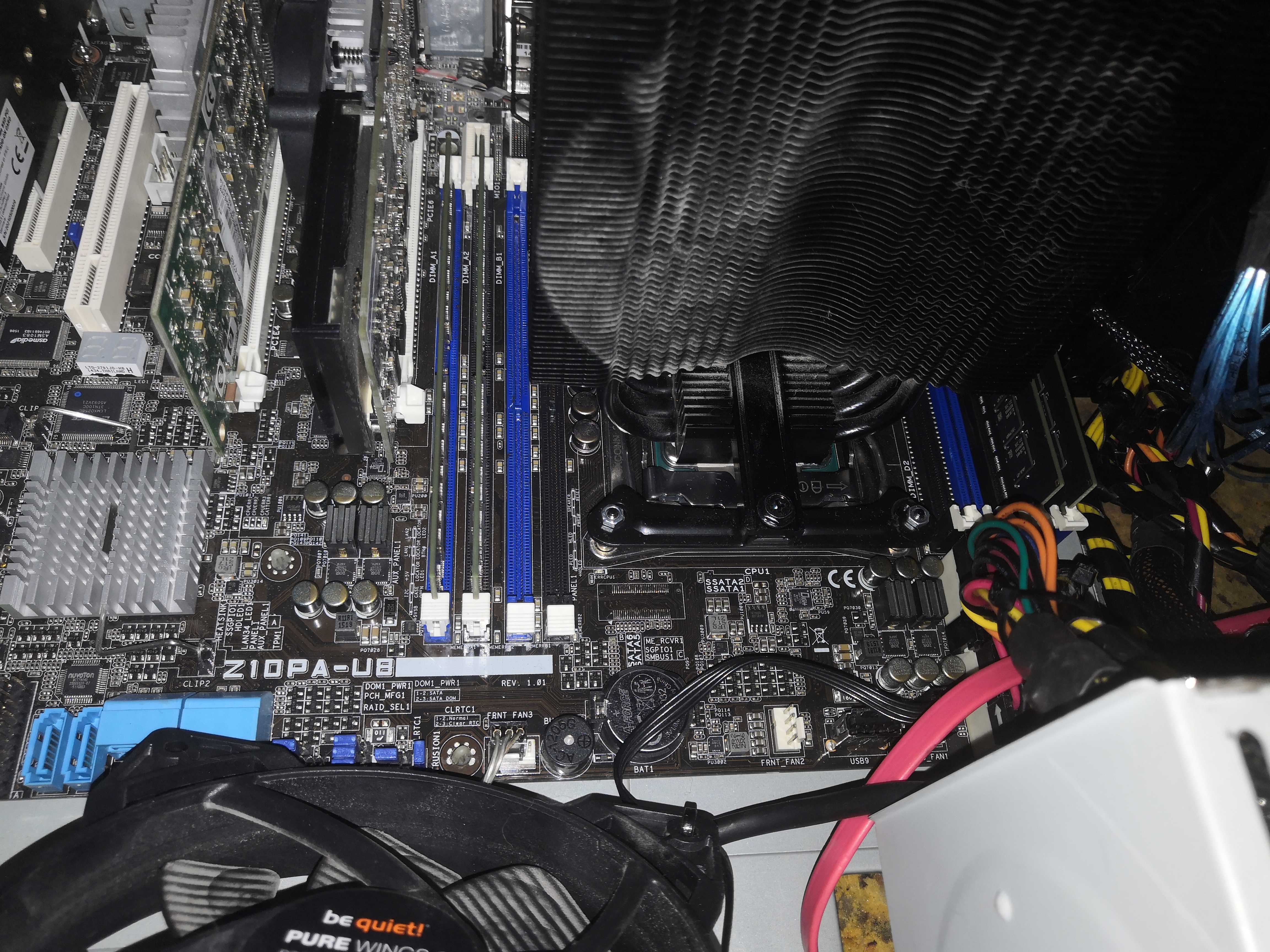
Here is the socket with my DIY setup; the more observant among you will notice that I’ve unboxed the memory modules
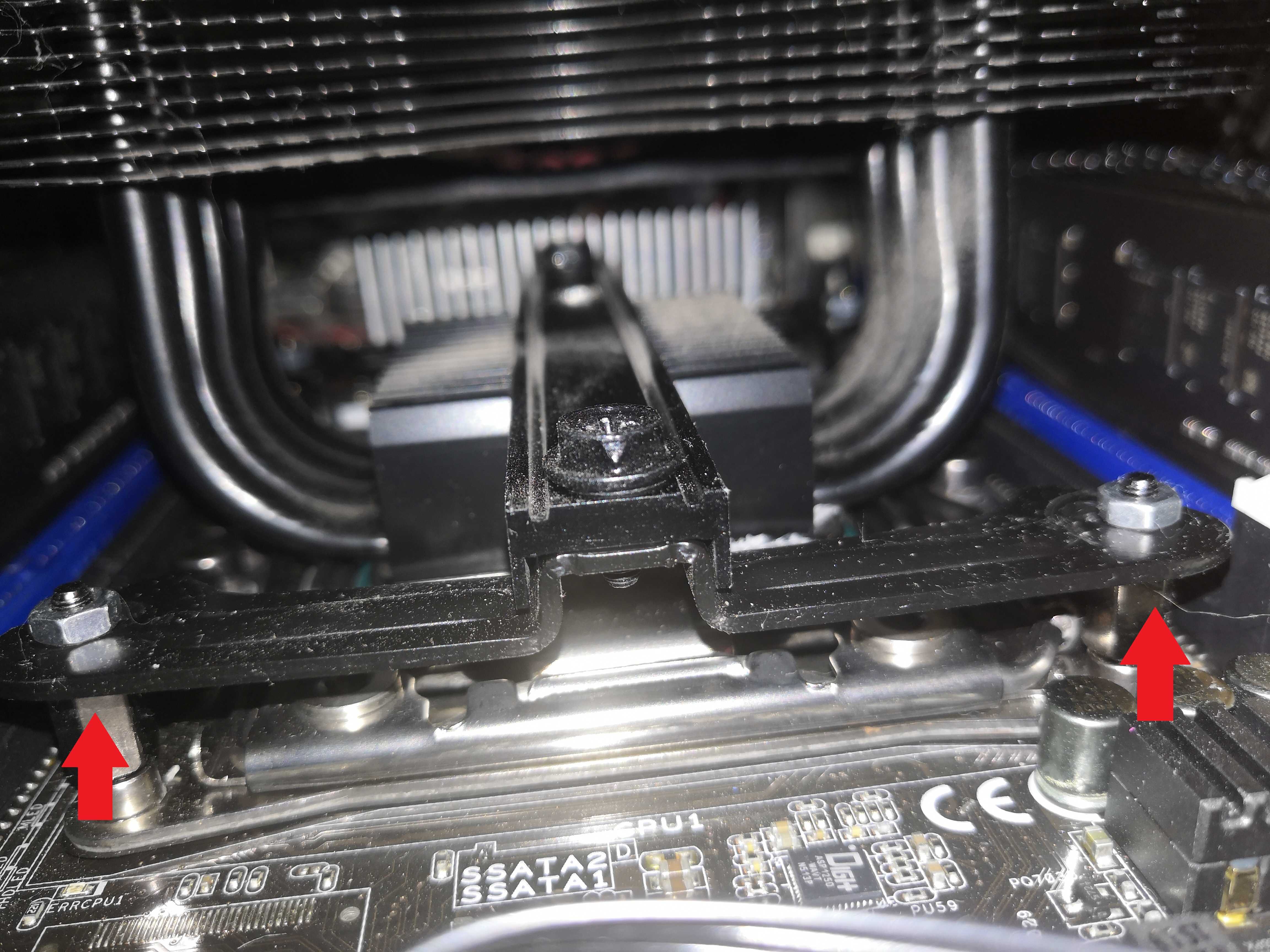
Here are the washers inserted just below the black metal plate; obviously, one washer per mounting point, which makes four in total Once the bracket is tightened, the mount is solid; this radiator is quite heavy, so it shouldn’t come loose—that’s why simply loosening the fasteners wasn’t an option
Result: 128 GB detected, B9 in a few seconds, BIOS. Stable.
This isn’t a fragile hack—it’s a technique known as the washer mod, used to compensate for asymmetrical pressure on the LGA2011-v3 socket when the setup isn’t the one intended by the manufacturer. Thermal contact is maintained, as is the memory channel.
Side Note
I contacted the seller of the motherboard on eBay to share my "adventure" with this board here is their response:
“We were already aware of the issue with the B7 motherboard and the CPU cooler mounting points. However, this specific solution was new to us. Indeed, some customers occasionally encounter this problem. Therefore, your feedback is very helpful, and we will take it into account in the future." Alpha38
Pretty cool, right? Ah, that heroic feeling of having saved the world……
Follow-up: SB_PWR1 flashing
Victory was short-lived. With the board installed in the case and connected to the chassis power supply, the SB_PWR1 LED is flashing. No boot, power button unresponsive.
On ASUS server boards, a flashing SB_PWR1 means 5VSB protection is active. The board refuses to boot because it detects a problem on the standby rail.
The case power supply: an Antec TruePower Trio 550W dating from 2006. Modular design, capacitors of venerable age, 5VSB at 2A maximum. The Z10PA-U8 requires a stable 5VSB capable of powering the BMC, the PCH in standby, and the VRM pre-charge. The Antec can no longer handle this—even with SMART PSU disabled via its dedicated jumper, the LED continues to flash.
Test with a replacement power supply: SB_PWR1 stays on, immediate boot. Verdict is clear.
The Antec TruePower Trio is not compatible with a modern server board. For this type of platform, a minimum of 3A 5VSB with DC-DC regulation is required. A Corsair CX750 (2023), BeQuiet Pure Power 12 M 650W, or Seasonic Focus GX-750 are suitable choices.
Validation: 2-hour stress test
RealBench 2.56, full stress test, 128 GB, 2 hours. Max temperature: 67°C. No instability.
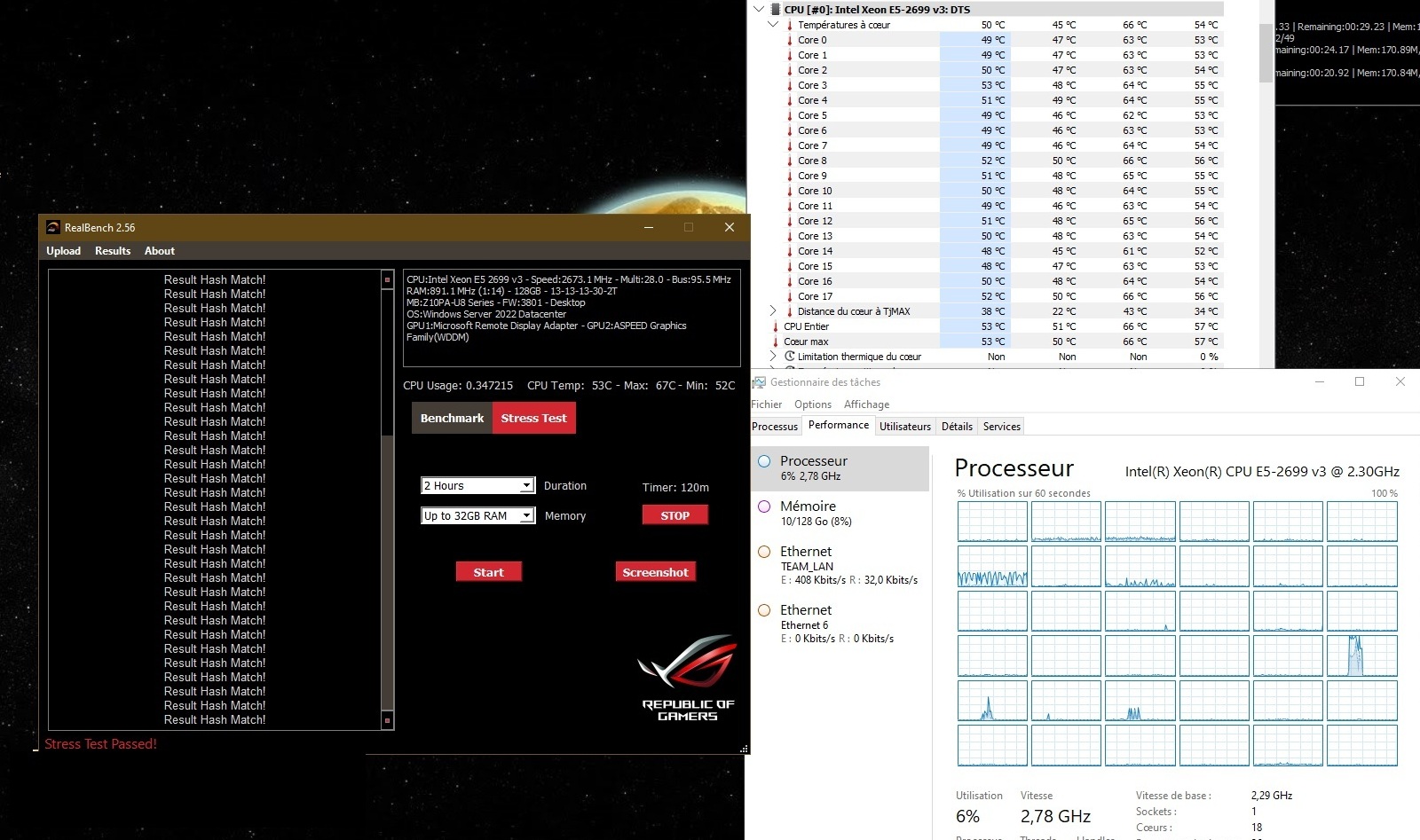
A quick note: LuxMark (RealBench’s OpenCL test) crashed on this setup, whereas it runs fine on other machines in the infrastructure with the same motherboard. Cause: a corrupted Intel OpenCL CPU runtime. Replaced with version Intel CPU Runtime for OpenCL 2023.2.0 (direct link) — problem resolved.
What else this card can do
The Z10PA-U8 supports the Xeon E5-2600 v3 and v4. The platform’s theoretical ceiling is the E5-2699 v4: 22 cores, 44 threads, 55 MB of L3 cache, still 145W TDP. Same thermal envelope as the v3, four more cores, Broadwell-EP architecture. Worth considering if a decent unit becomes available at a reasonable price.
Conclusion
At €70, the Z10PA-U8 remains one of the best value-for-money options for a used LGA2011-v3 server platform. But this board is unforgiving.
It supports non-QVL gaming RAM—provided the MRC can handle it, which isn’t guaranteed. It’s sensitive to mechanical pressure from the heatsink, down to a single washer a few tenths of a millimeter thick. It requires a power supply with a clean and robust 5VSB rail—not a consumer-grade PSU from 2006.
In conclusion, I’d say it’s still good hardware, but clearly not for beginners. And there’s a dual-socket version, the Z10PA-D8.